Horizon menu entries
Main Menu Entries and Pause Menu Entries in the Menu Config are lists of buttons.
What an entry holds
Section titled “What an entry holds”| Field | What it does |
|---|---|
| Id | Identifier passed to On Menu Action. |
| Label | Button text. |
| Action | What the button does, from the table below. |
| Level | For Open Level: the level to open. |
| Screen Class | For Open Screen: the widget pushed onto the menu layer. |
| Style | Primary, Secondary, Danger, Tab or Arrow. |
| Requires Confirmation, Confirm Title, Confirm Message | Ask “are you sure?” before running the action. |
| Visible | Hide the entry without removing it. |
| Required Save Slot | Show the entry disabled until this save slot has a save. |
The actions
Section titled “The actions”| Action | Result |
|---|---|
| Start Game | Opens the Menu Config’s New Game Level. |
| Open Level | Opens the entry’s Level. |
| Open Settings | Opens the settings screen. |
| Open Credits | Opens the credits. |
| Open Screen | Pushes the entry’s Screen Class onto the menu layer. |
| Resume | Closes the pause menu. |
| Restart Level | Reloads the current level. |
| Return To Main Menu | Opens the Main Menu Level. |
| Quit Game | Quits the game. |
| Custom | Does nothing by itself. On Menu Action fires with the entry Id so your code can react. |
Every entry, whatever its action, also fires On Menu Action with its Id after it runs.
By default the main menu has Continue, New Game, Settings, Credits and Quit, and the pause menu has Resume, Settings, Restart, Main Menu and Quit.
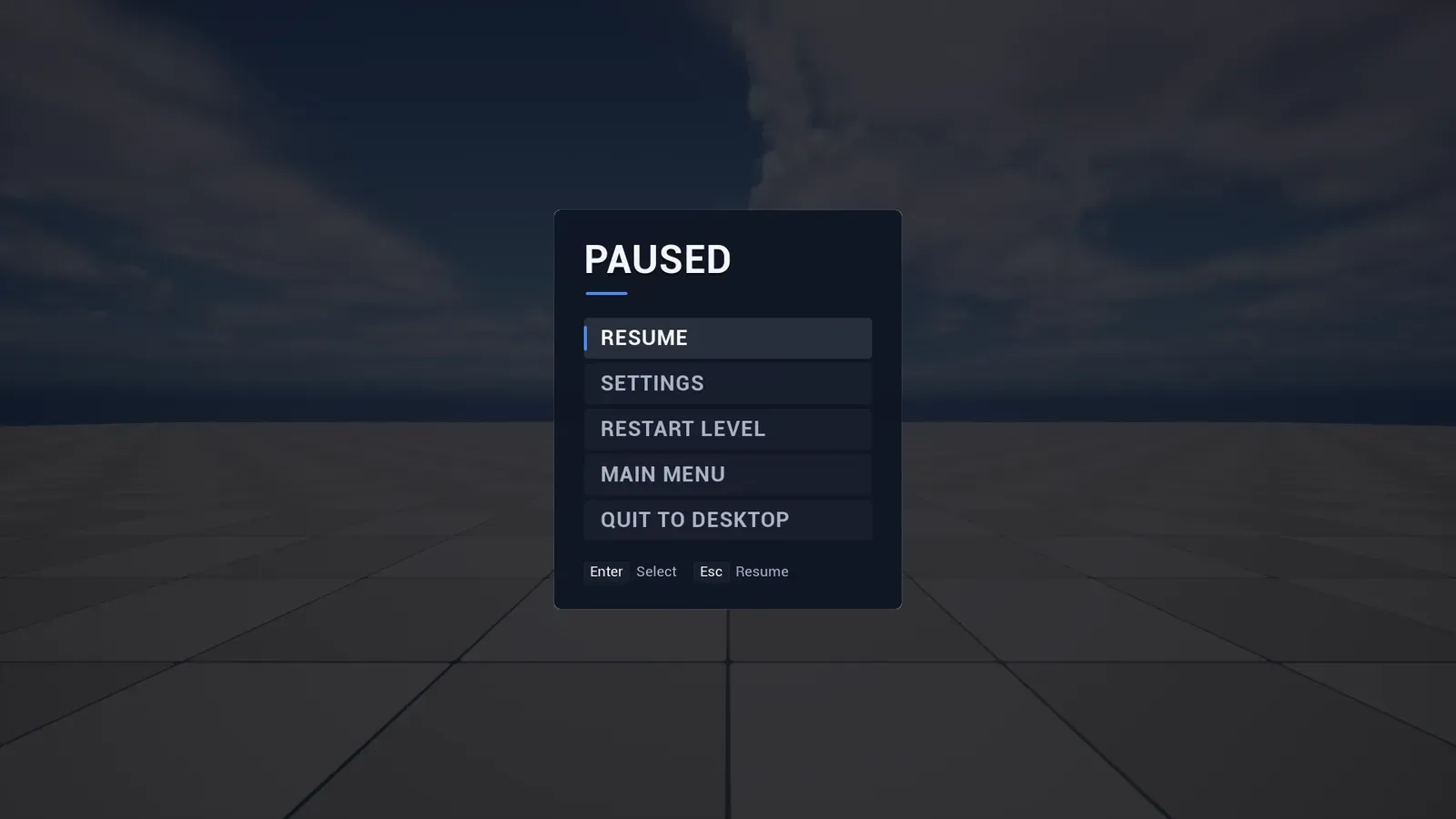
The pause menu. It pauses the game while it is open, unless you turn that off in the Menu Config.
Confirmations
Section titled “Confirmations”Tick Requires Confirmation on an entry to ask before it runs, with your own title and message. Quit uses it by default.
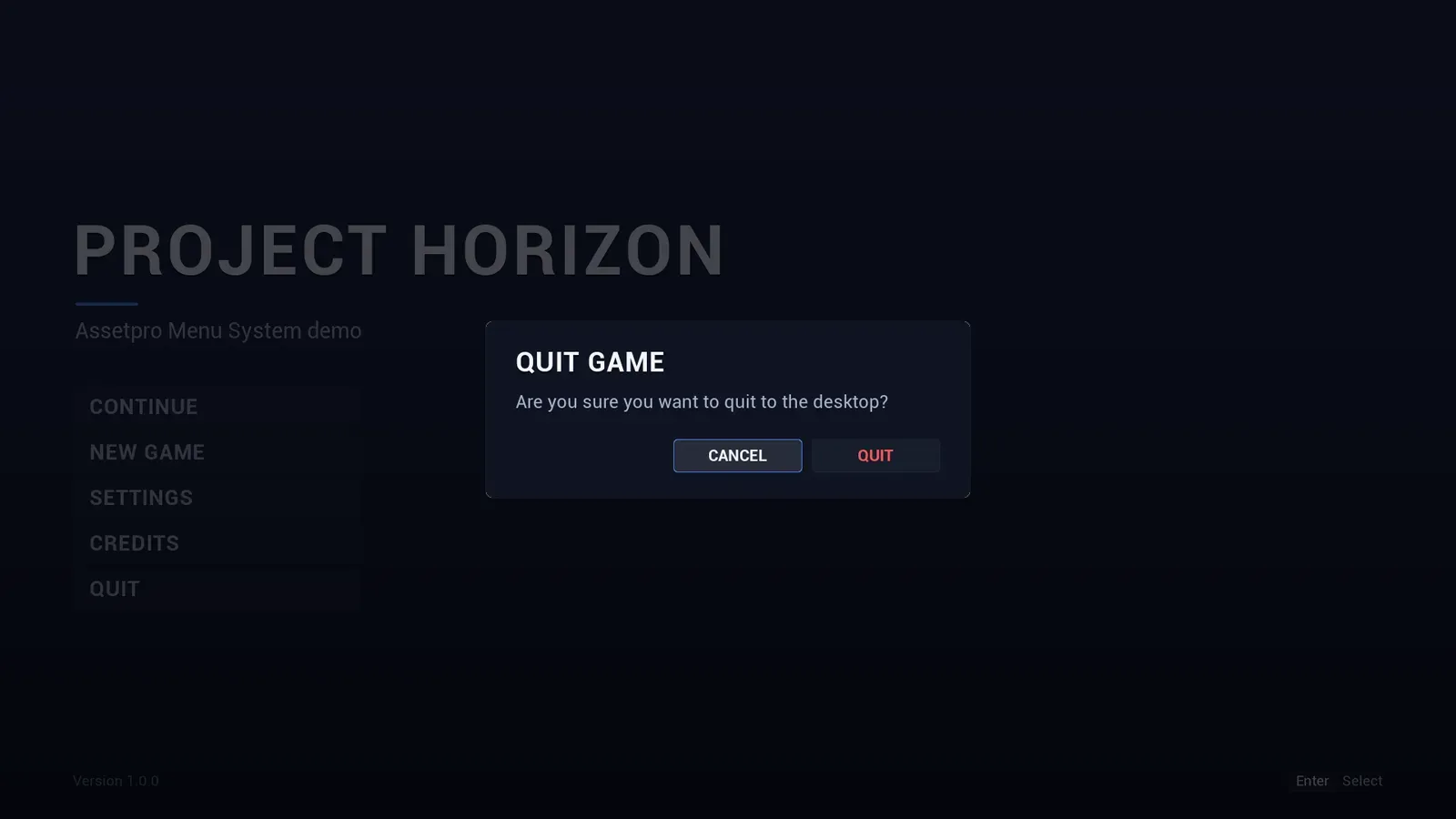
A confirmation dialog. Dialogs can have one, two or three buttons and an optional countdown.
Continue and saved games
Section titled “Continue and saved games”The main menu starts with Continue. It stays disabled, greyed out and skipped by keyboard and gamepad navigation, until a save exists in the slot named in the entry’s Required Save Slot (by default SaveGame, user index 0). Set it to the slot your game saves to. When the player picks Continue, On Menu Action fires with Continue, and your game loads its save there.
- If your game keeps its saves another way, with several slots or cloud saves, call Set Menu Entry Enabled (
Continue, true or false) instead. Clear Menu Entry Enabled hands the entry back to its save slot check. Open menus update right away. - Any entry can use Required Save Slot, for example a Load Game entry.
- Remove Continue from Main Menu Entries if your game has no saves.
- The first enabled entry gets focus, so a disabled Continue never takes the highlight.
Horizon is not a save system: it only checks whether a save exists. Saving and loading stay your game’s job.