
RTSKit
RTSKit is a top-down real-time-strategy starter kit for Unreal Engine 5.4, by CodeLikeMe. It is a C++ plugin with Blueprint access to everything, and it ships a working game you can use as the template for your own RTS: selection, orders, economy, building, walls and gates, training, combat, an AI opponent, a minimap, save and load, and a multiplayer-ready command model.
It is data-driven. Units, buildings, resources and factions are DataTable rows, not classes. It also ships a full low-poly medieval art set: characters, wildlife, buildings, props, icons, cursors and animations.
This page is both the documentation and the wiki for RTSKit 1.0. Everything is on it; use the table of contents to jump to a unit, a building or a system.
- Current version
- 1.0
- Unreal Engine
- 5.4

The Villager, Infantry, Archer, Priest and Hero playing the shared idle clip, A_Char_Idle.
Overview
Section titled “Overview”RTSKit is the layer every RTS needs before it can be a game: select units, give them orders, gather resources, place buildings, train an army, fight, save the match. It ships as a plugin with two modules, demo maps, art for a full medieval village, and an AI opponent that plays the same game you do.
Use it as your RTS template
Section titled “Use it as your RTS template”Start from the demo map, swap in your art, edit the tables, and build on top. Because RTSKit is a plugin rather than a project, the same kit also drops into a game you already have.
A typical way to make it yours:
- Play the demo map to see a whole match: gathering, building, training and the AI opponent.
- Copy
DT_UnitsandDT_Actionsand edit rows: stats, costs, build times, what each building trains. See Data table reference. - Point the rows at your own meshes. Keep the two material slots in the same order so faction colour keeps working. See Faction colour.
- Reparent a widget Blueprint to
URTSKitHUDWidgetand draw your own HUD, or start fromWBP_HUD. See Build your own HUD. - Tune the AI commander, or swap in your own. See Swap the AI.
Three design rules
Section titled “Three design rules”Three rules shape the whole design.
Entities are DataTable rows, not classes. A Villager, a Town Centre and a berry bush are all rows in DT_Units. Adding a unit type is a row edit. One Blueprint covers every plain unit, and one covers every plain building.
Every order goes through one server-side function. The player controller and the AI commander both implement IRTSKitCommander, and both land in URTSKitCommandLibrary. There is exactly one ownership check, one price check and one placement check, so the human path and the AI path cannot drift apart.
Selection is an interface, not a base class. IRTSKitSelectable is implemented by units, buildings and resource nodes. A new selectable type needs no change to selection, the marquee or the HUD.
Feature list
Section titled “Feature list”Camera and input
- Spring-arm RTS camera: WASD pan, screen-edge scroll with an easing ramp, wheel zoom that scales pan speed, auto-pitch toward overhead as you zoom out, and zoom toward the cursor.
- Alt + right-mouse orbit, middle-mouse drag pan, and a ground-clamped pivot.
- Perspective or orthographic, switchable at runtime for a classic isometric look.
- Enhanced Input throughout, with a bundled mapping context and input actions.
- The camera opens on your own faction’s start marker.
Selection and orders
- Click to select, drag for a marquee, click a portrait to narrow to one, shift-click to narrow to that type.
- Right-click is the universal order: move, gather, construct, attack, rally.
- Enemy buildings can be clicked for inspection, with no action cards.
- Context cursors: an axe over trees, a pickaxe over gold mines, a hammer over stone mines and your own construction sites, a sword over enemies. See Cursors.
- Drag marquee and hover health bars drawn on the HUD canvas.
Economy
- Resource nodes with finite stock, a mesh per depletion stage, and optional auto-replant at a cost (the Age of Empires farm cycle).
- A full gather loop: walk, harvest, carry a visible load with a tool in hand, deliver to the nearest drop-off that accepts that resource, return.
- Drop-offs are data:
AcceptedResourceson the building’s row. - A unit’s row can name a resource node to leave behind when it dies, so a hunted animal can become food.
- Population: buildings provide the cap, train actions cost it.
Building
- A placement grid (200 cm cells by default) with footprints derived from the mesh.
- A ghost preview that tints by validity, with ground, slope, water and overlap checks shared between the client preview and the server decision.
- Scaffolds, construction measured in villager-seconds, multiple builders, and builders that roll on to the next site.
- Walls: drag a run, and the pieces autotile straight, corner, T, cross and end from their neighbours. Hold Shift to keep placing.
- Gates that open for friendly units and drop onto an existing wall line, replacing the pieces they cover.
- Demolish, on the Delete key or as a card action.
Combat
- Free-form stats (Health, Attack, Armor, Range, or whatever your game uses) on a component.
- Attack orders, an aggro radius for idle units, attack and death animations, and corpses.
- Buildings take damage, leave rubble and hand back their population.
HUD
- A
URTSKitHUDWidgetbase class that solves the replication race: your Blueprint events fire with real numbers whichever order the faction, player state and game state arrive in. - A command card built from the selection’s shared actions, with affordability, population and tag gating, and a formatted hover tooltip.
- Resource counters driven by
DT_Resources, a population readout and a match clock. - A minimap with live blips, the camera frustum, click to jump and right-click to order, in square or Age of Empires-style diamond form.
AI commander
- The same interface as the player, server-only, no cheating.
- Economy: worker priorities that follow the stockpile, gatherers that rebalance, drop-off choice by walking distance, camps built at the gathering frontier, and a search that widens when a resource runs out locally.
- A build ladder with save-up behaviour, and houses raised on population pressure.
- A city-block settlement layout: one building type per block, with streets between types.
- Defences: a wall ring with gates and watchtowers, and a wider ring when the town outgrows it.
- Army training in a rotation, and leashed defence of its own base.
Map authoring
ARTSKitMapDefinition: one actor per level that says how big the world is, where the water line sits, and how the minimap photographs it.ARTSKitFactionStart: place it, list what the faction starts with, press Populate.ARTSKitResourceScatter: forests in clumps, mines as lone finds, berry patches between.- Everything is seeded and reproducible, and all of it works on fixed maps and on infinite streaming terrain.
Multiplayer and persistence
- Server-authoritative commands, replicated units, buildings and nodes, and client-side selection.
- Whole-match save and load: stockpiles, diplomacy, units, buildings mid-construction, train queues, rally points, node stock and the camera.
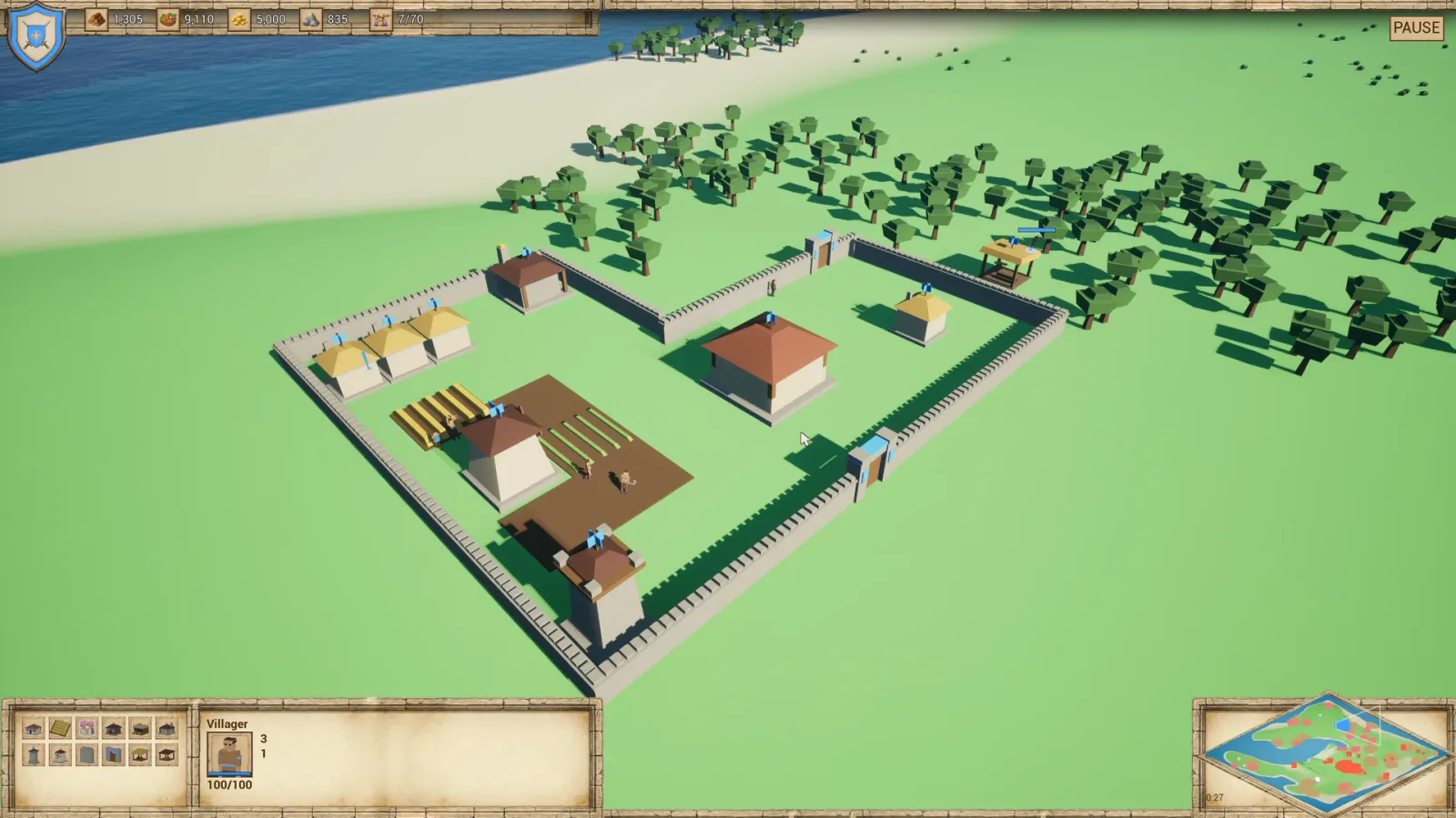
A match on the demo map: a walled village with houses, a mill and farms, the Town Centre and a watch tower, with the HUD and the diamond minimap.
What’s in the box
Section titled “What’s in the box”Plugin modules
Section titled “Plugin modules”| Module | Type | Contents |
|---|---|---|
RTSKit |
Runtime | Every gameplay system on this page, with full C++ source |
RTSKitEditor |
Editor | Editor-only additions to the Details panel |
Both modules are enabled for Win64, Mac and Linux.
Demo maps
Section titled “Demo maps”| Map | What it is |
|---|---|
/RTSKit/Maps/RTSKitDemoMinimal |
A fixed map with no terrain dependency |
/RTSKit/Maps/RTSKit_WorldGen |
The same game on infinite procedural terrain |
Blueprints and widgets
Section titled “Blueprints and widgets”| Group | Assets |
|---|---|
| Game framework | BP_RTSKitGameMode, BP_RTSKitGameState, BP_RTSKitPlayerController, BP_RTSKitCameraPawn, BP_RTSKitHUD |
| Gameplay | BP_RTSKitUnit (every plain unit), BP_RTSKitBuilding (every plain building), BP_RTSKitResourceNode, BP_PlacementGhost |
| Animation | ABP_Base (characters), ABP_Animal (wildlife) |
| UI widgets | WBP_HUD, WBP_ActionButton, WBP_ActorDetails, WBP_ResourceCounter, WBP_SelectedActorIcon, WBP_OverheadHealthbar, WBP_Minimap, WBP_AngledMinimap |
Data tables
Section titled “Data tables”DT_Units, DT_Actions, DT_Resources and DT_Factions, filled with a playable roster. They are described field by field in Data table reference.
The IMC_RTSKit mapping context and its input actions: IA_RTSKitSelect, IA_RTSKitCommand, IA_RTSKitMove, IA_RTSKitZoom, IA_RTSKitOrbit, IA_RTSKitOrbitModifier, IA_RTSKitMiddlePan, IA_RTSKitQuickSave and IA_RTSKitQuickLoad. See Controls.
A full low-poly medieval set under /RTSKit/Art: ten gameplay characters and a reference figure, three animals, forty-one props, the buildings with their walls, scaffolds and rubble, UI icons, cursors, and an animation library that plays on every character. See Art set.
Installation
Section titled “Installation”Requirements
Section titled “Requirements”- Unreal Engine 5.4.
- Enhanced Input. It ships with the engine and is enabled as a plugin dependency.
- Navigation. RTSKit units use runtime navmesh generation with invokers. Set your project’s navigation to dynamic with invokers enabled, and put a NavMeshBoundsVolume over the play area. The demo project’s
DefaultEngine.iniis already set up this way. - WorldGen is optional. RTSKit runs on any terrain; it simply knows how to cooperate with streaming worlds when one is present.
From Fab
Section titled “From Fab”- Install RTSKit to your engine version from the Epic Games Launcher.
- Open your project, then Edit > Plugins, search for RTSKit, tick Enabled and restart.
- A C++ project is not required to use RTSKit, but it is required to compile it from source.
From the project source
Section titled “From the project source”- Copy
Plugins/RTSKitinto your project’sPluginsfolder. - Right-click the
.uprojectand choose Generate Visual Studio project files. - Build the editor target.
Navigation setup
Section titled “Navigation setup”Without dynamic navigation, units fall back to straight-line steering. In Project Settings:
- Navigation Mesh: set Runtime Generation to Dynamic.
- Navigation System: enable Generate Navigation Only Around Navigation Invokers.
Then add a NavMeshBoundsVolume to your level that covers the whole play area.
Quick start
Section titled “Quick start”1. Open a demo map
Section titled “1. Open a demo map”/RTSKit/Maps/RTSKitDemoMinimal is a fixed map with no terrain dependency. /RTSKit/Maps/RTSKit_WorldGen is the same game on infinite procedural terrain.
2. Set up your own level
Section titled “2. Set up your own level”Drop these in:
| Actor | Why |
|---|---|
BP_RTSKitGameMode (in World Settings) |
Spawns factions, hands out slots, spawns AI commanders |
ARTSKitMapDefinition |
Map size, water line, minimap capture |
ARTSKitFactionStart, one per faction |
Press Populate to see the village |
ARTSKitResourceScatter |
Forests, mines, berries |
| NavMeshBoundsVolume | Covers the play area |
The game mode’s FactionTable should point at DT_Factions, and the game state Blueprint carries the other three tables.
3. Press Populate
Section titled “3. Press Populate”Select a faction start and press Populate in the Details panel. The village appears in the editor, on the terrain, laid out on the settlement plan. Press it again for a different roll, or set Seed to keep one.
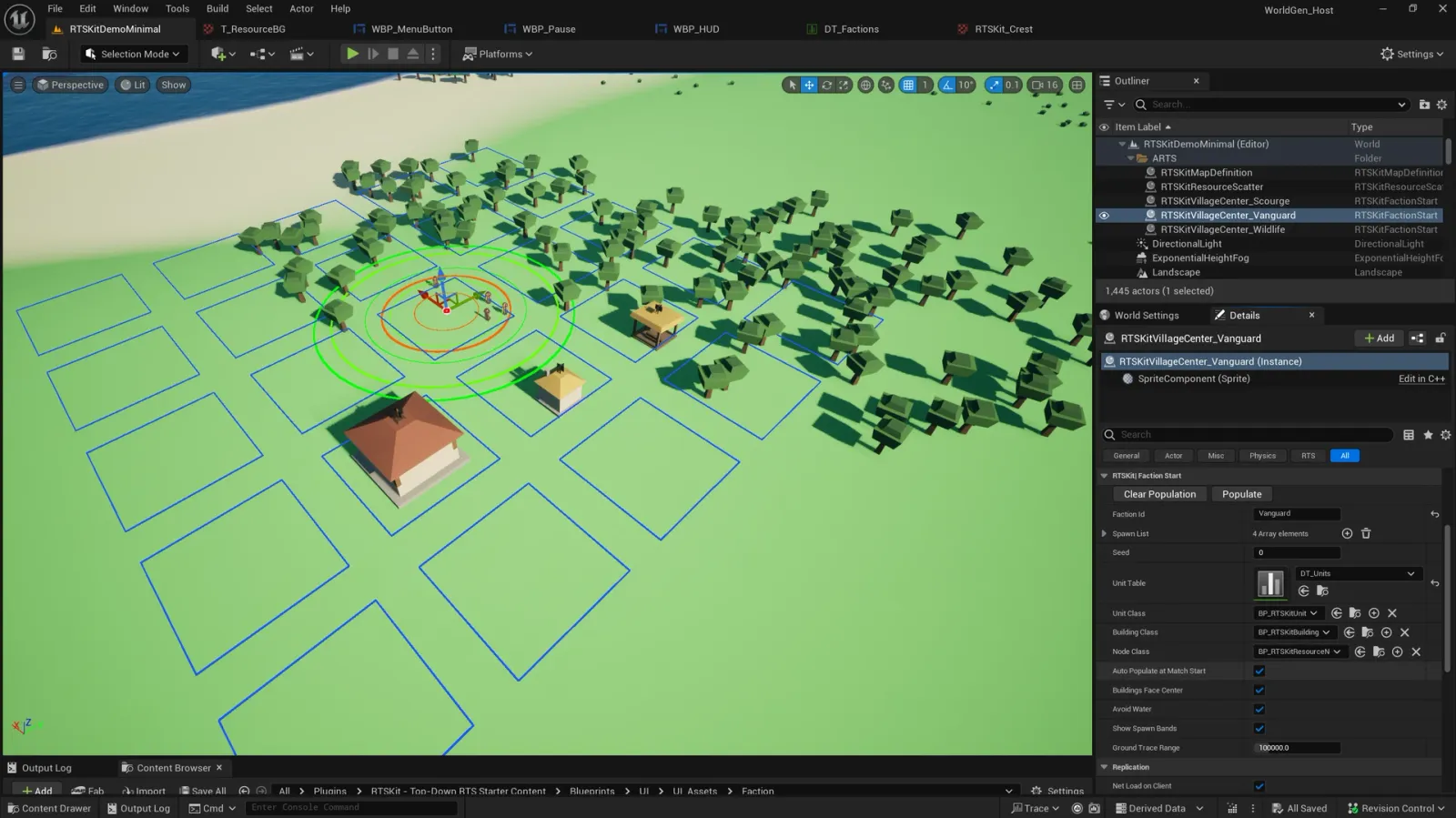
An ARTSKitFactionStart selected in the editor. Populate in the Details panel lays out its village on the settlement plan, whose blocks show as blue outlines.
4. Play
Section titled “4. Play”Left-click a villager, then right-click a tree. Open the command card and place a house. The red faction, the AI, does the same thing on its own.
5. Make it yours
Section titled “5. Make it yours”Reparent a widget Blueprint to URTSKitHUDWidget and draw your own HUD, or start from WBP_HUD. Copy DT_Units and DT_Actions and edit rows. The recipes walk through the common changes.
Controls
Section titled “Controls”| Input | Action |
|---|---|
| Left-click | Select one entity |
| Left-drag | Marquee-select your units |
| Right-click ground | Move |
| Right-click a resource node | Gather |
| Right-click your scaffold | Help build |
| Right-click an enemy | Attack |
| Right-click with only buildings selected | Set rally point |
| WASD or screen edges | Pan |
| Mouse wheel | Zoom (pan speed and pitch follow) |
| Alt + right-drag | Orbit |
| Middle-drag | Pan |
| Shift, while placing | Keep placing |
| Shift + click a portrait | Narrow the selection to that type |
| Right-click, while placing | Cancel placement |
| Delete | Demolish the selection |
| F5 / F9 | Quick save / quick load |
All of it is Enhanced Input. Remap it by supplying your own mapping context in place of IMC_RTSKit.
Characters
Section titled “Characters”Ten gameplay characters and one reference figure, all on one skeleton, one palette texture and one animation library: every clip plays on every character. Select a character to see its 3D model, demo stats and notes. In the model, drag to rotate, pick any of the 11 clips, and switch the faction colour between blue and red.
Every trained unit costs 1 population. The Villager is the only unit that gathers and builds. The Scout, Monk, Priest and Hero have full art and a DT_Units row, but no Train action in the demo; each is ready to wire up with one Train action row.
Compare all characters
The demo defaults from DT_Units and DT_Actions; tune them to your game. Range is the attack distance; a unit with no Range stat fights at melee distance.
| Unit | Health | Attack | Armor | Range | Speed | Trained at | Cost | Train time |
|---|---|---|---|---|---|---|---|---|
| Villager | 25 | 2 | 0 | Melee | 124 | Town Centre | 50 Food | 12 s |
| Infantry | 45 | 5 | 1 | Melee | 124 | Barracks | 60 Food | 21 s |
| Swordsman | 60 | 8 | 2 | Melee | 124 | Barracks | 60 Food, 20 Gold | 21 s |
| Spearman | 45 | 6 | 1 | Melee | 124 | Barracks | 35 Food, 25 Wood | 22 s |
| Archer | 30 | 5 | 0 | 600 | 124 | Archery Range | 25 Wood, 45 Gold | 27 s |
| Crossbowman | 35 | 7 | 0 | 750 | 124 | Archery Range | 25 Wood, 75 Gold | 27 s |
| Scout | 45 | 4 | 0 | Melee | 186 | No Train action in the demo | ||
| Monk | 30 | 0 | 0 | Melee | 124 | No Train action in the demo | ||
| Priest | 30 | 0 | 0 | Melee | 124 | No Train action in the demo | ||
| Hero | 120 | 12 | 3 | Melee | 124 | No Train action in the demo |
Wildlife
Section titled “Wildlife”Three wild animals on their own shared quadruped skeleton. They belong to the neutral Wildlife faction. Values are the demo defaults.
| Animal | Health | Attack | Speed |
|---|---|---|---|
| Deer | 15 | 150 | |
| Boar | 40 | 6 | 130 |
| Sheep | 10 | 90 |
The three animals share one 20-bone skeleton, so their size comes from scaling the skeletal mesh component uniformly, which keeps the shared clips exact. The art set is authored for a sheep at 0.85, a deer at 1.20 and a boar at 0.95. Wildlife meshes have a single material slot and no faction colour, because wildlife has no owner.

Deer T_Icon_Deer_Base
Boar T_Icon_Boar_Base
Sheep T_Icon_Sheep_Base
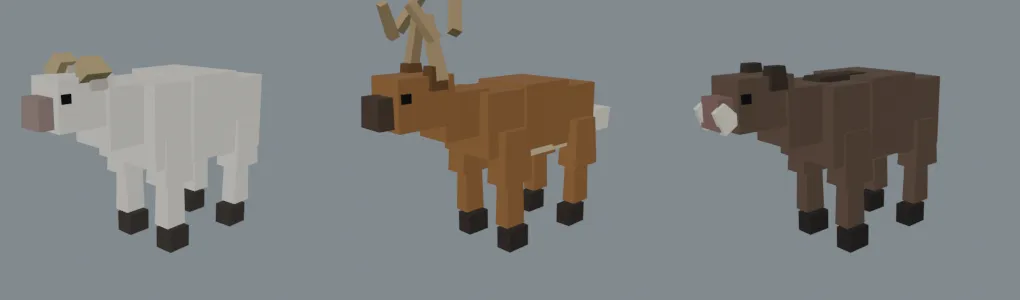
The sheep, deer and boar.
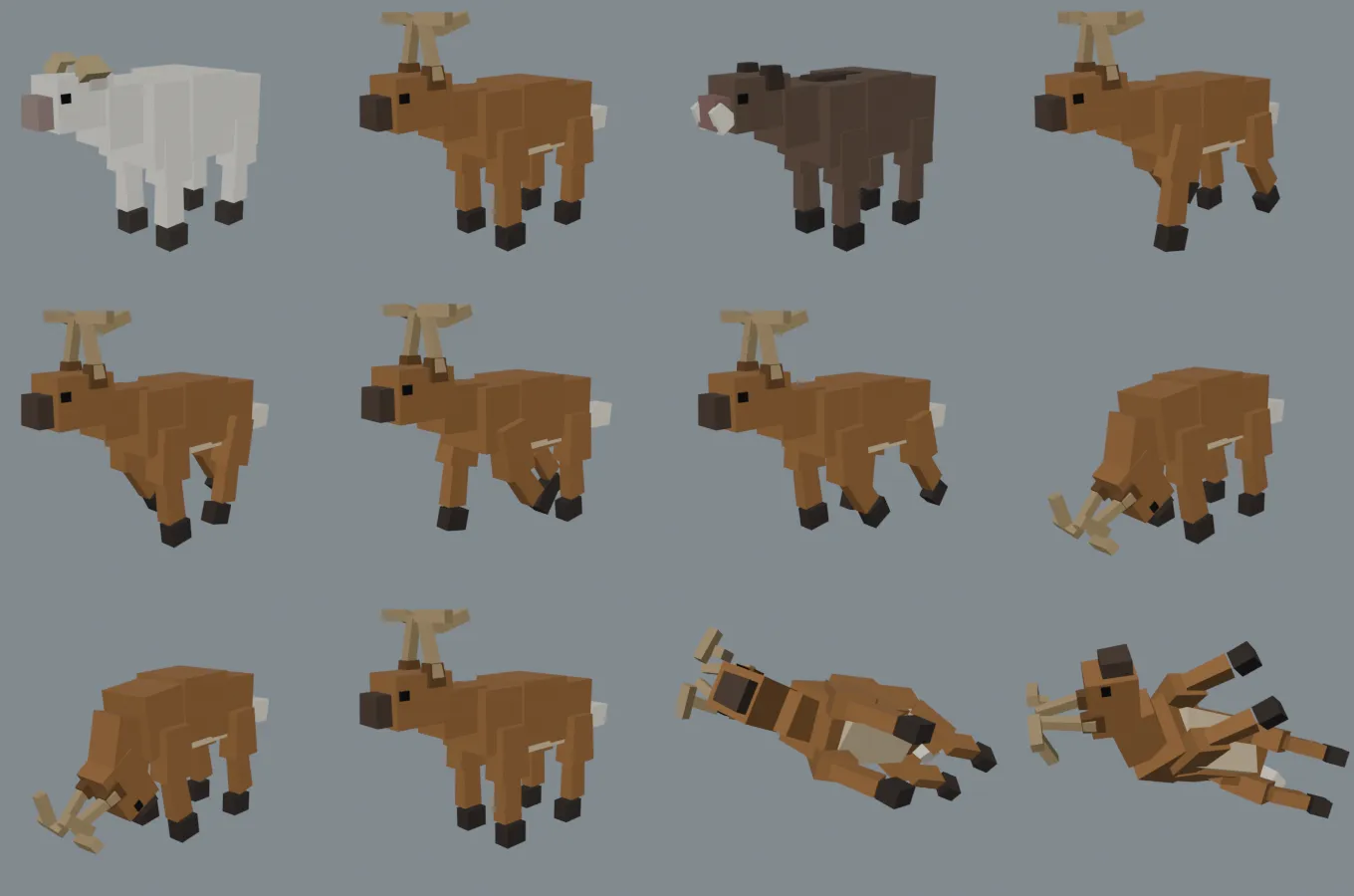
The animal sheet: all three animals, then the deer through its clips.
Animal clips
Section titled “Animal clips”| Clip | Frames | Loops |
|---|---|---|
A_Animal_Idle |
100 | Yes |
A_Animal_Walk |
32 | Yes |
A_Animal_Graze |
90 | Yes |
A_Animal_Die |
40 | No |
All four clips play on all three animals.
Hunting and corpses
Section titled “Hunting and corpses”A unit’s row can name a resource node to leave where it dies, with CorpseNodeId. The corpse lingers as the visual while the node under it holds the stock, so a hunted animal can become a Food source. To use it, set CorpseNodeId on the animal’s row to a resource row.
Factions
Section titled “Factions”Factions are rows in DT_Factions: display name, colours, icon, controller type, starting resources, starting population cap and faction tags. The demo ships three.
| Faction | Controller | Wood | Food | Gold | Stone | Population cap |
|---|---|---|---|---|---|---|
| Vanguard | Human | 3000 | 5000 | 5000 | 1500 | 10 |
| Scourge | AI | 400 | 250 | 700 | 200 | 15 |
| Wildlife | Neutral |
Vanguard’s starting stockpile is deliberately generous, for testing. In the demo the AI faction plays red.
Who is allied with whom is not part of a faction: it is a property of the match, so it lives on the game mode. See Factions and diplomacy.
Resources and nodes
Section titled “Resources and nodes”Resources
Section titled “Resources”The demo has four resources, defined in DT_Resources. Each row sets the display name, icon, colour, HUD sort order and visibility, and how gathering it looks: the cursor, the carried load, the tool in hand and the looping work animation.
| Resource | Gathered from | Tool in hand | Cursor | Dropped off at |
|---|---|---|---|---|
| Wood | Trees | Axe | Axe | Lumber Camp, Town Centre |
| Food | Berry bushes, farms | Sickle and hoe | Sickle | Mill, Town Centre |
| Gold | Gold mines | Pickaxe | Pickaxe | Mining Camp, Town Centre |
| Stone | Stone mines | Pickaxe | Hammer | Mining Camp, Town Centre |
Resource nodes
Section titled “Resource nodes”Nodes are DT_Units rows with Kind set to Resource. Their stock is finite, and a node can show a different mesh at each stock stage.
| Node | Resource | Starting stock | Icon rendered from |
|---|---|---|---|
| Tree | Wood | 150 | SM_Tree_Oak_L |
| Berry Bush | Food | 150 | SM_Bush_Berry |
| Gold Mine | Gold | 800 | SM_Node_Gold_L |
| Stone Mine | Stone | 350 | SM_Node_Stone_L |
| Farm | Food | 175 | SM_Farm_03 |

Tree T_Icon_Tree_Base
Berry Bush T_Icon_BerryBush_Base
Gold Mine T_Icon_GoldMine_Base
Stone Mine T_Icon_StoneMine_Base
Farm T_Icon_Farm_Base
When a node runs dry, its gatherers look for another node of the same resource nearby. See Gathering.
A farm is a Food node that villagers build for 60 Wood, with no build time. It holds 175 Food and grows through four stages, from bare soil (SM_Farm_00) to a ripe field (SM_Farm_03). The farm mesh is a flat 3 m tile, and MeshScale on the row sizes the field without re-exporting the art: 2, 2, 1 turns it into a 6 m field of 3 × 3 grid cells.
Farms can auto-replant: with bAutoReplant on, a farm refills on its last handful, charges ReplantCost to the faction harvesting it, and its stage meshes snap back to the start. If the faction can’t pay, the farm depletes normally.
Buildings
Section titled “Buildings”Select a building to see its demo stats, footprint and notes. Build time is in villager-seconds: one villager takes that many seconds, and two builders halve it. Footprint is the grid module the mesh fills, in whole metres, including roof overhang.
Compare all buildings
The demo defaults from DT_Units and DT_Actions. The Market and Temple have no gameplay row, so they aren’t listed.
| Building | Cost | Build time | Health | Armor | Population | Role |
|---|---|---|---|---|---|---|
| Town Centre | 275 Wood, 100 Stone | 40 | 600 | 5 | +5 | Trains Villagers, accepts all resources |
| House | 30 Wood | 10 | 300 | +5 | Population | |
| Mill | 100 Wood | 15 | 350 | 5 | Accepts Food | |
| Lumber Camp | 100 Wood | 15 | 300 | 5 | Accepts Wood | |
| Mining Camp | 100 Wood | 15 | 300 | 5 | Accepts Gold and Stone | |
| Barracks | 150 Wood | 25 | 800 | Trains Infantry, Swordsman, Spearman | ||
| Archery Range | 150 Wood | 25 | 800 | Trains Archer, Crossbowman | ||
| Blacksmith | 100 Wood, 50 Stone | 20 | 600 | No function yet | ||
| Watch Tower | 25 Wood, 75 Stone | 20 | 700 | Defensive structure | ||
| Wall | 5 Stone per piece | 4 | 500 | Dragged as a line, autotiles | ||
| Wall Gate | 30 Stone | 10 | 600 | Placed onto a wall, opens for friendly units | ||
| Farm | 60 Wood | Instant | Food node, 175 Food |
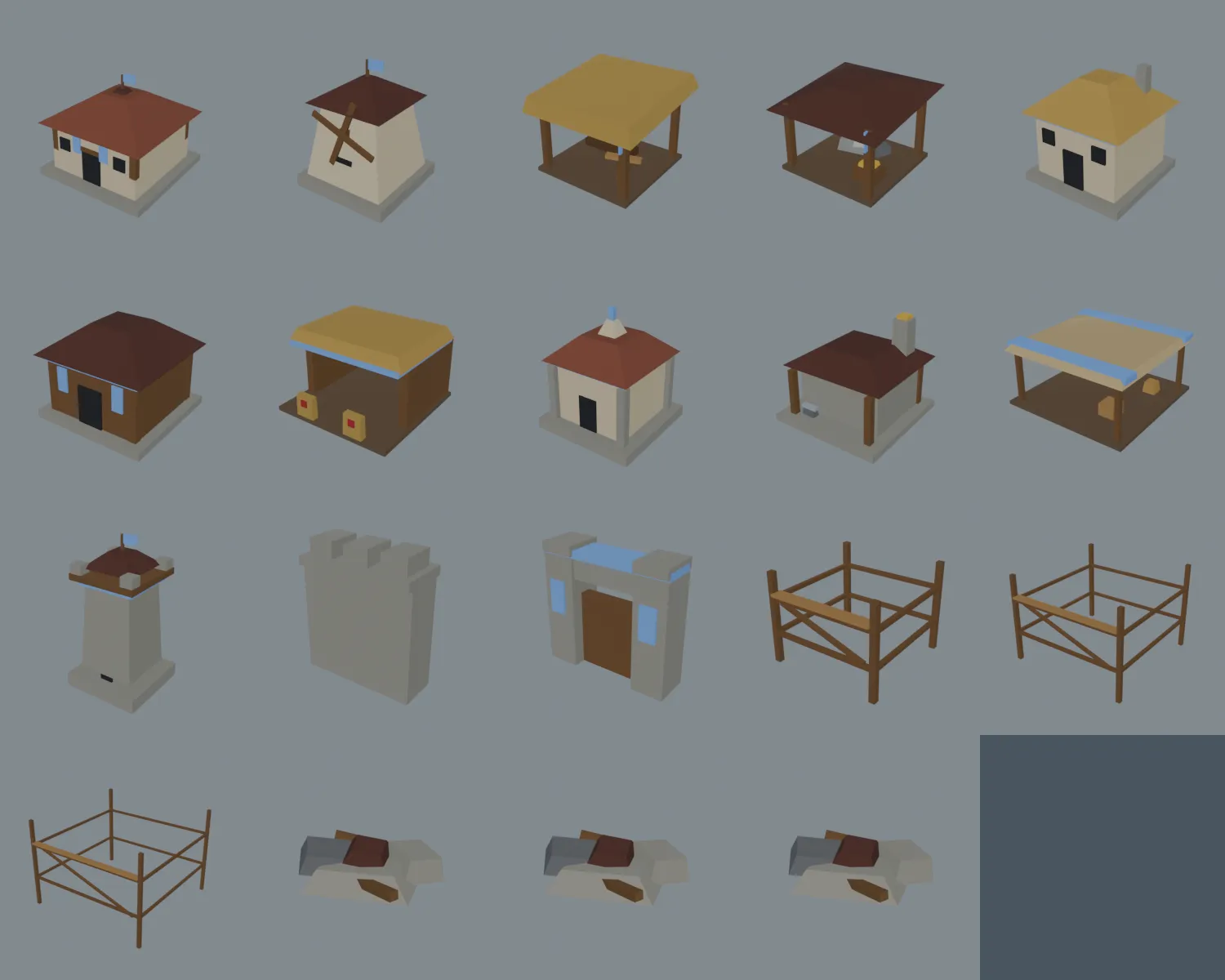
The building set: eleven buildings, a straight wall piece, the gate, and the small, medium and large scaffolds and rubble.
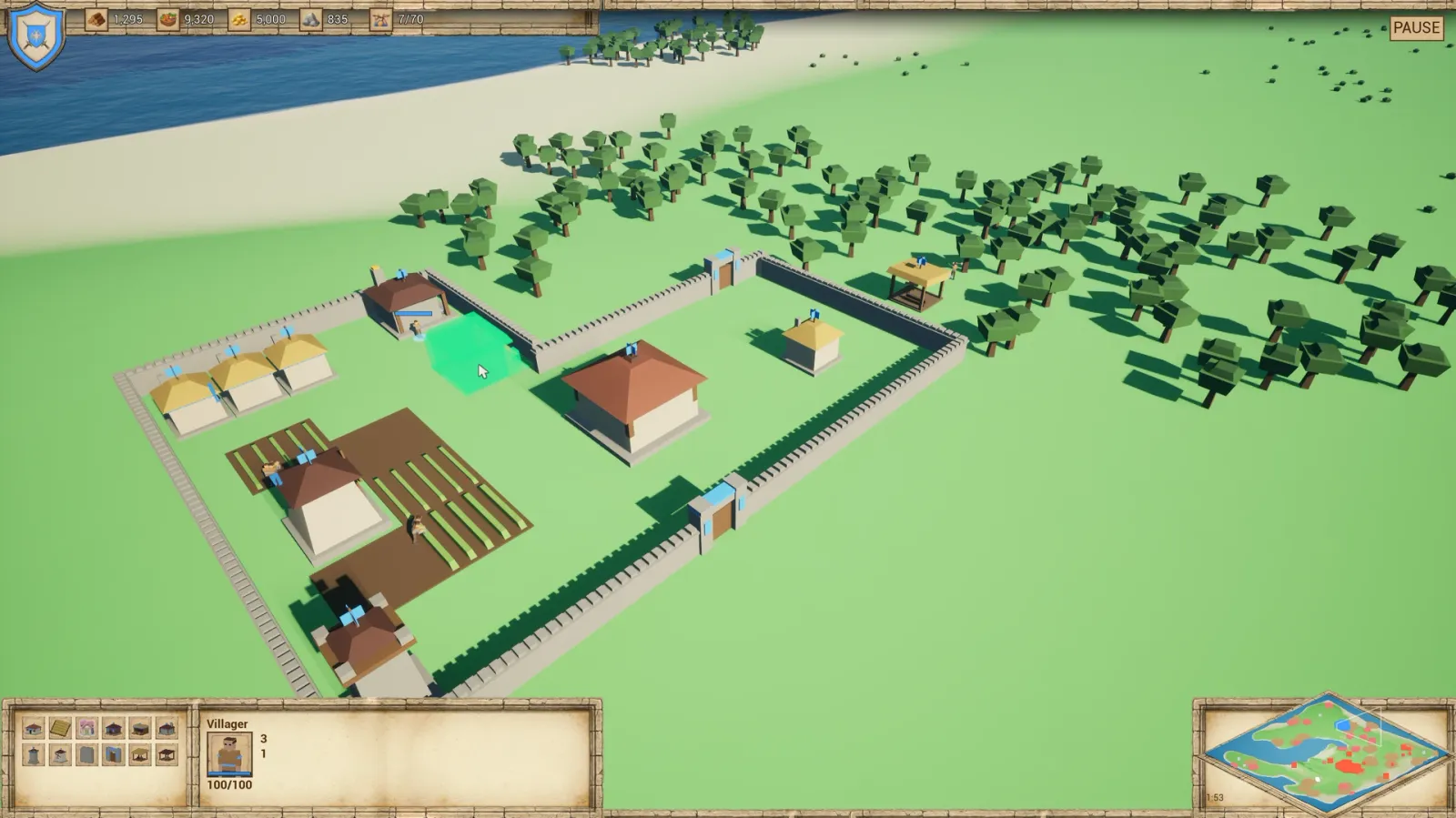
Where the footprint fits, the ghost is green.
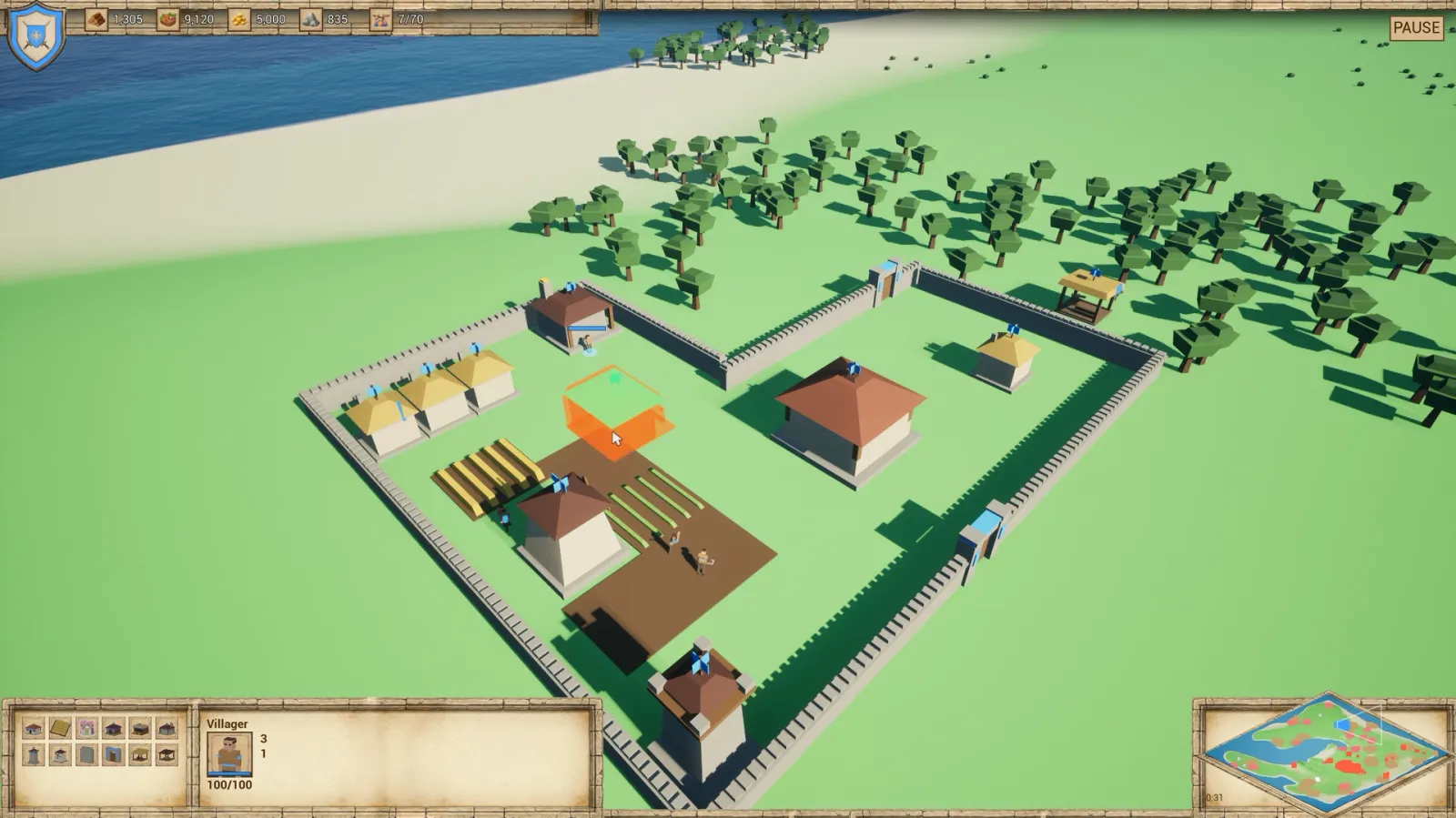
Over the farm field it turns orange, and the building can’t be placed there.
The ghost tints by validity, and a green ghost is never refused by the server.
Walls, gates, scaffolds and rubble
Section titled “Walls, gates, scaffolds and rubble”Wall pieces
Section titled “Wall pieces”A wall row carries a mesh for each adjacency pattern in WallVariants, and each piece picks its own mesh and rotation from its neighbours. WallVariantsFoundation is the same set again for the under-construction state, so a half-built wall corners correctly too.
| Piece | Mesh | Under construction |
|---|---|---|
| Straight | SM_Wall_Straight |
SM_Wall_Straight_Foundation |
| Corner | SM_Wall_Corner |
SM_Wall_Corner_Foundation |
| T | SM_Wall_T |
SM_Wall_T_Foundation |
| Cross | SM_Wall_Cross |
SM_Wall_Cross_Foundation |
| End | SM_Wall_End |
SM_Wall_End_Foundation |
Every piece is a 2 m module, so pieces tile flush on the 200 cm grid. Walls have no faction-coloured parts and no roof flag: a pennant every 2 m along a run would be absurd.
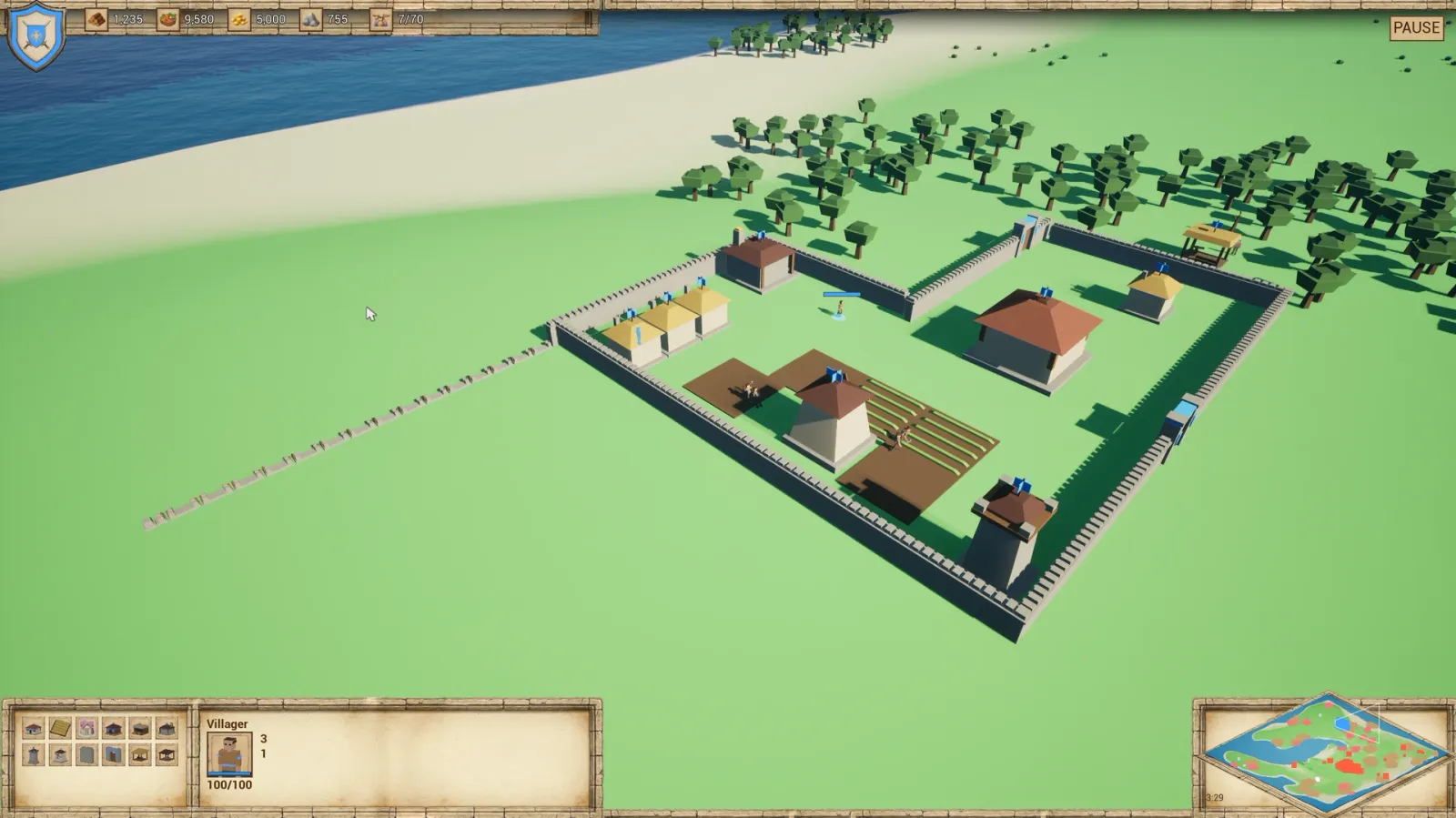
A new wall run dragged out from the village wall, still at the under-construction foundation stage. The finished ring behind it shows full-height straight, corner and gate pieces.
A gate is any building row with a GateOpenRadius. It snaps onto an existing wall line and replaces the pieces under it. A gate row’s GateOpenMesh is what it shows while open. The art set has the shut gate, SM_Wall_Gate, and an open version, SM_Wall_Gate_Open. The gate is a 4 m module.
Scaffolds
Section titled “Scaffolds”SM_Scaffold_S, SM_Scaffold_M and SM_Scaffold_L (4, 6 and 8 m) are shared by every building under construction, instead of a bespoke state per building. Pick one by footprint: a 5 m building uses the 6 m set. Scaffolds fly a roof flag too, so a site under construction reads as yours.
Rubble
Section titled “Rubble”SM_Rubble_S, SM_Rubble_M and SM_Rubble_L (4, 6 and 8 m) are the shared destroyed state, set per building with RubbleMesh. Rubble has no owner, so it flies no flag.
Roof flags
Section titled “Roof flags”Every owned building flies a pole flag above its roofline, plus a band under the eaves and banners on the facade. The flag is the one that matters: from an RTS camera you look at the roof, so a wall banner is invisible from directly overhead and a band under the eaves is hidden by the overhang.
- The pennant is two panels crossed at 90°. A single flat banner goes edge-on and disappears at some camera angles; crossed, at least one panel always shows.
- The pole starts at each building’s measured roofline, so the ridge never swallows it.
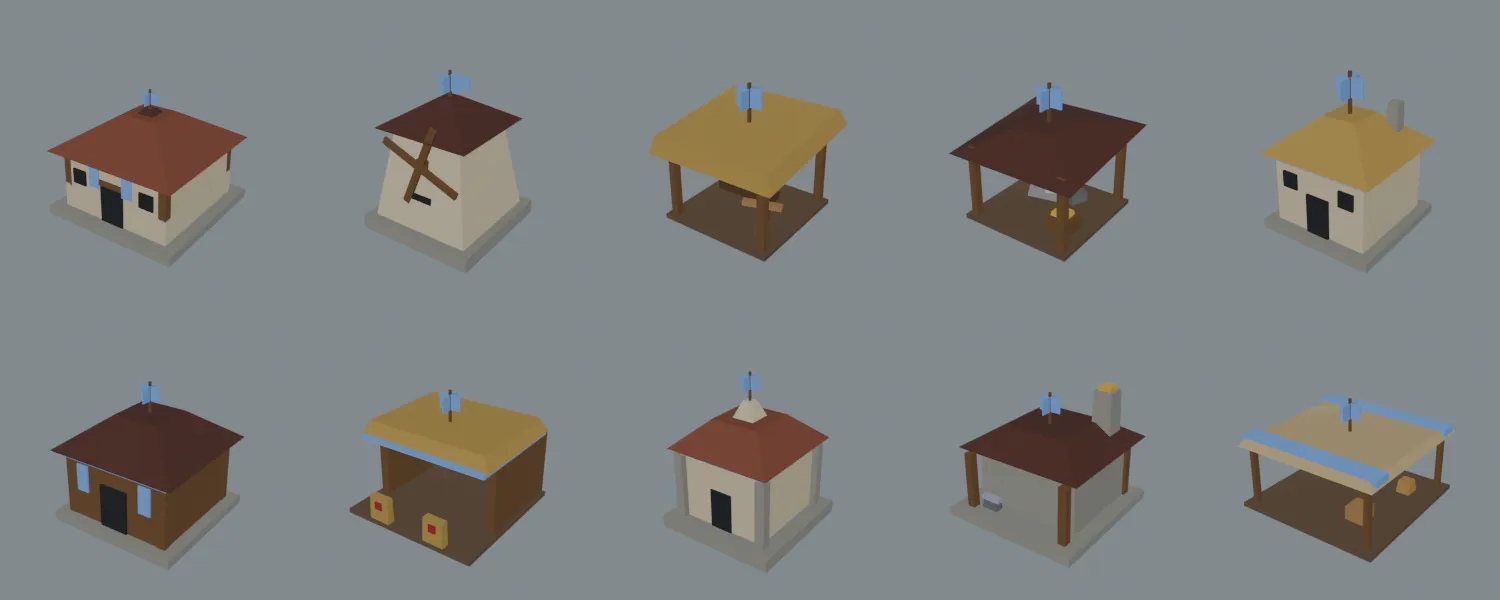
Roof flags on ten buildings. Each pennant is two crossed panels, so it reads from any camera angle.
Tools, weapons and props
Section titled “Tools, weapons and props”Forty-one static props, 1,884 triangles for the whole set, all on the shared palette texture.
| Group | Meshes | Contents |
|---|---|---|
| Trees | 8 | Pine, oak and dead at two sizes, plus two stumps |
| Food | 6 | Berry bush ripe and picked, four farm growth stages |
| Ore | 6 | Gold and stone outcrops: large, small and spent |
| Tools | 6 | Axe, pickaxe, hoe, sickle, hammer, fishing rod |
| Weapons | 6 | Sword, spear, staff, bow, crossbow, banner |
| Shields | 2 | Round, kite |
| Carry loads | 4 | Wood, gold, stone, food |
| Projectiles | 3 | Arrow, bolt, javelin |
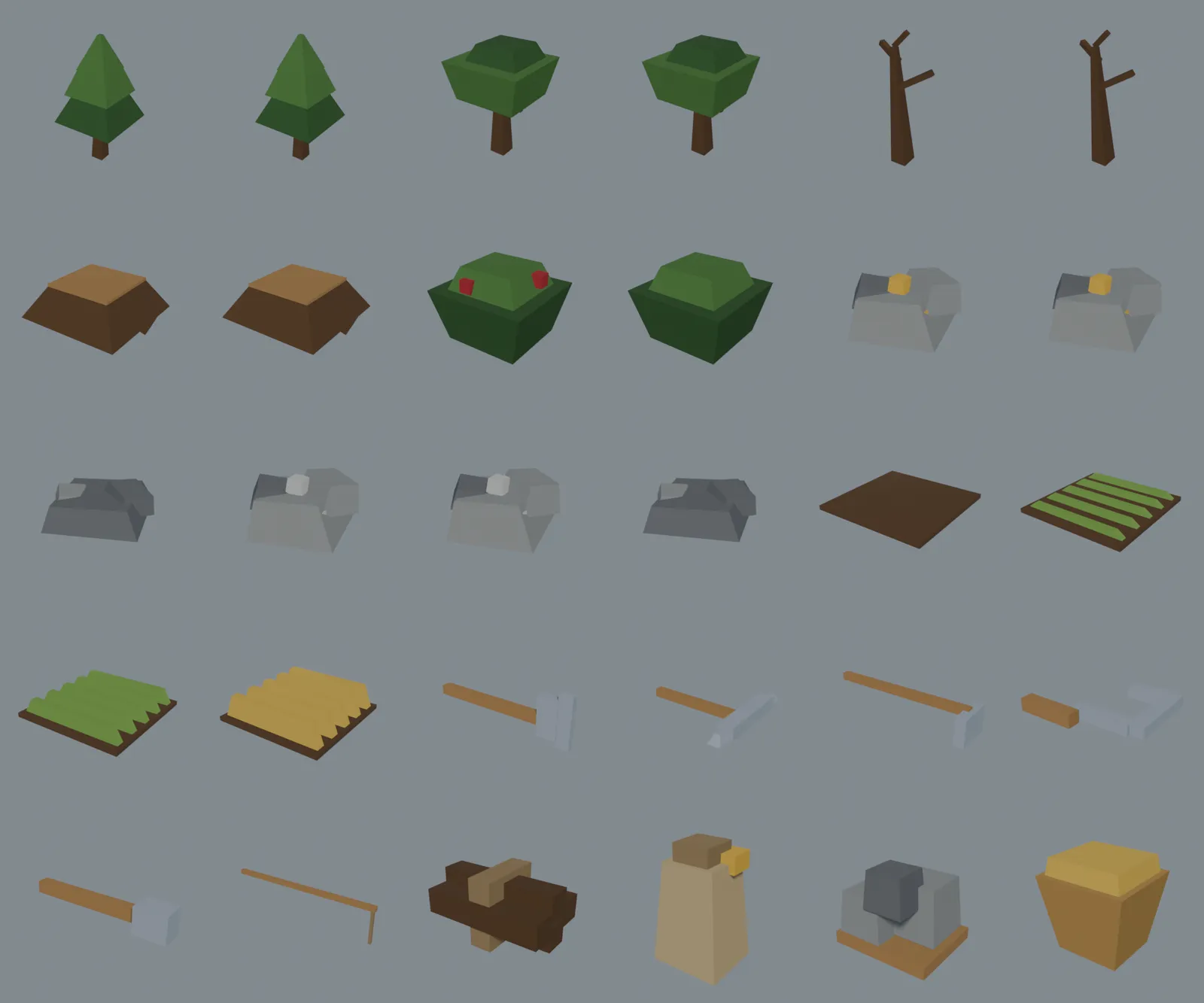
World props, the six tools and the four carry loads. Weapons, shields and projectiles are not on this sheet.
Villagers hold a tool while they work: the axe for wood, the pickaxe for gold and stone, the sickle and hoe for food, and the hammer for construction. The tool for each resource comes from its DT_Resources row, and the construction tool from the unit’s BuildToolMesh. The fishing rod ships as art only: 1.0 has no fishing.
Hand props are authored around the grip: the origin is at the grip, the handle runs along +X, and the business end is at far +X. Unreal’s forward is +X, so a tool attached to the weapon_r bone points where the unit faces.
Weapons, shields and projectiles
Section titled “Weapons, shields and projectiles”The sword, spear, staff, bow, crossbow and banner, the round and kite shields, and the arrow, bolt and javelin all ship as art. Units show a weapon through WeaponMesh in their row. RTSKit 1.0 does not fire projectiles, so the arrow, bolt and javelin are included art rather than a feature.
The bow is the one exception to +X: it is held across the body, so its limbs run along Z. Projectiles point along +X. The two shields and the banner carry a faction-coloured slot like the characters; every other prop has one slot.
Carry loads
Section titled “Carry loads”SM_Load_Wood, SM_Load_Food, SM_Load_Gold and SM_Load_Stone are the loads a villager carries home. The carry mesh for each resource comes from its DT_Resources row.
World props
Section titled “World props”World props sit on z = 0 with the origin at the centre of the base, so they drop straight onto terrain. The trees, bushes, outcrops and farm plots include the stage meshes a node can switch between as its stock runs down.
Cursors
Section titled “Cursors”Six 64×64 cursors, each rendered from the tool that does the job, so the cursor and the tool in the villager’s hand are the same object.
| Cursor | Shown | Engine cursor slot | Rendered from |
|---|---|---|---|
T_Cursor_Axe |
Over a tree (Wood) | Crosshairs | SM_Tool_Axe |
T_Cursor_Pickaxe |
Over a gold mine (Gold) | GrabHand | SM_Tool_Pickaxe |
T_Cursor_Hammer |
Over a stone mine (Stone), and over your own construction site with a worker selected | GrabHandClosed | SM_Tool_Hammer |
T_Cursor_Sickle |
Over a berry bush (Food) | Hand | SM_Tool_Sickle |
T_Cursor_Sword |
Over a hostile unit or building | SlashedCircle | SM_Weapon_Sword |
T_Cursor_Pointer |
Everywhere else | Default | Drawn, no mesh |

Axe T_Cursor_Axe
Pickaxe T_Cursor_Pickaxe
Hammer T_Cursor_Hammer
Sickle T_Cursor_Sickle
Sword T_Cursor_Sword
Pointer T_Cursor_Pointer
The resource cursors come from each resource’s DT_Resources row. The player controller registers the cursors at runtime onto the engine’s cursor slots, so you don’t need to author a widget per cursor in Project Settings. The construction cursor reuses Stone’s hammer slot by default. Each cursor’s tip sits in the top-left corner, where the hotspot is, and a 2 px dark navy outline keeps it readable over both bright grass and dark water.
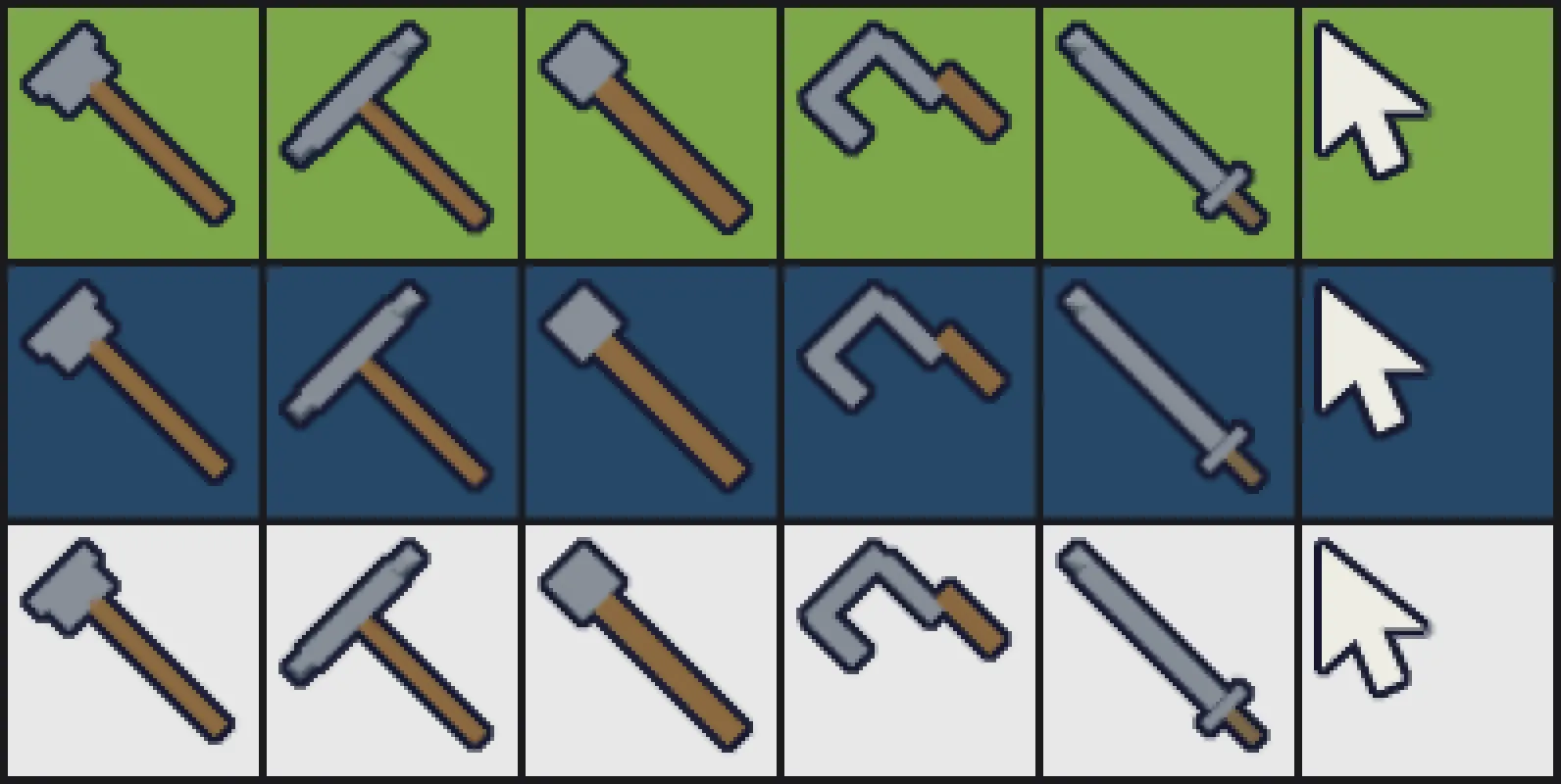
The cursors over grass, water and a pale panel.
The axe, pickaxe and hammer are all a grey head on a brown stick, so at small sizes the three gathering cursors read alike. Their silhouettes differ (wedge, crossbar, block), but not by much at 32×32.
Art set
Section titled “Art set”A full low-poly medieval set: characters, wildlife, buildings, props, icons and cursors, all sharing one texture, one material set, one skeleton per body plan and one animation library. It lives under /RTSKit/Art.
Triangle budget
Section titled “Triangle budget”| Family | Meshes | Triangles |
|---|---|---|
| Characters | 11 (10 gameplay types plus Base) | 3,648 |
| Wildlife | 3 | 1,008 |
| Props | 41 | 1,884 |
| Buildings | 19 | 2,916 |
| Total | 9,456 |
These figures come from the art README, which counts nineteen building meshes: the eleven buildings, the straight wall piece, the gate, and the three scaffolds and three rubble piles. The plugin also ships the wall corner, T, cross and end pieces, the under-construction wall pieces and the open gate, which that count doesn’t list.
| Character | Triangles | Silhouette | Faction-coloured parts |
|---|---|---|---|
| Base | 300 | Plain reference figure | Belt |
| Villager | 324 | Tunic, bare forearms, hair, armbands | Belt, armbands |
| Infantry | 336 | Bulked armour, nasal helm, pauldrons | Belt, pauldrons |
| Swordsman | 336 | Armour, helm, pauldrons | Belt, pauldrons |
| Spearman | 312 | Light armour, nasal helm | Belt, helmet |
| Archer | 324 | Light build, hood, back quiver | Belt, hood |
| Crossbowman | 324 | Hood, back quiver | Belt, hood |
| Scout | 336 | Light build, hood, armbands | Belt, armbands, hood |
| Monk | 348 | Robe, hood, unarmoured | Belt (sash) |
| Priest | 348 | Full robe over the legs, hood | Belt (sash), hood |
| Hero | 360 | Heaviest armour, crested helm, pauldrons, cape | Belt, cape, helmet crest |

The full roster, from the Base figure on the left to the Monk on the right. Open it full size to compare silhouettes.
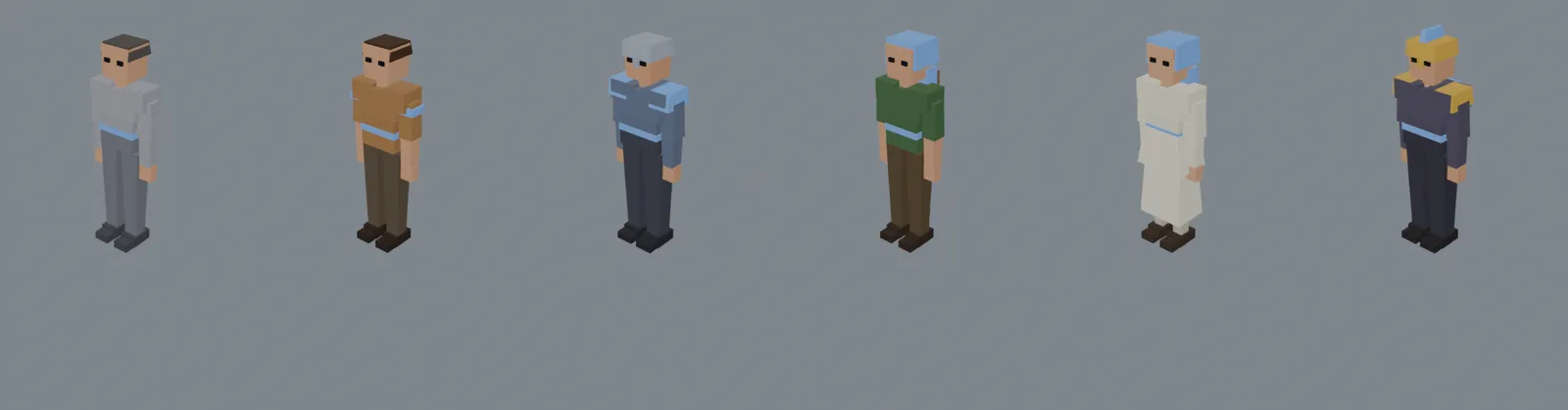
The Base figure beside the Villager, Infantry, Archer, Priest and Hero.
Shared skeleton
Section titled “Shared skeleton”All eleven characters share one skeleton, so every animation plays on every type.
- 25 bones, 1.705 m tall (170 Unreal units), animated at 30 fps.
- Bone names follow the UE5 mannequin (
pelvis,spine_01,thigh_l,clavicle_rand so on), so an IK Retargeter can map the chains. The proportions are stylised, so retargeted mocap needs scaling: this buys chain mapping, not a drop-in match. - Attachment bones:
weapon_landweapon_rare non-deforming bones in the palms, pointing forward, andbackcarries the quiver, cape and carry loads. Attach props straight to those bones; no sockets are needed, though you can add sockets on top for finer placement. - In place: the
rootbone stays at the origin, so the clips carry no root motion. The bob and weight shift ride onpelvis. - Walk speed: the planted foot travels at 124 cm/s, the demo’s unit speed, and the top of the walk blendspace axis. Set a unit’s walk speed to match or the feet skate. For a faster unit, scale the play rate by the same ratio rather than lengthening the stride.
- One height: every type, the Hero included, is the same height. For a bigger unit, scale its skeletal mesh component uniformly.
- Facing: characters face +X in Unreal.
The animals use a separate shared skeleton of 20 bones, on the same terms. See Wildlife.
Palette and materials
Section titled “Palette and materials”Every character, building, prop and animal samples one 512×512 palette texture, T_Palette, through the same slot-0 material, so an infantryman and a priest merge into the same draw call. Each type owns a row of swatches on a 32×32 grid, so there is plenty of room left for new types.
T_Palette uses Nearest filtering and no mipmaps. Filtered or mipped, neighbouring swatches average together and everything turns into the same grey-brown smear at distance.
Faction colour
Section titled “Faction colour”Characters, buildings and the faction-coloured props have two material slots, in the same order on every mesh, so one material setup covers the whole roster:
| Slot | Material | Contents |
|---|---|---|
| 0 | M_Palette |
Everything else, through the shared palette texture |
| 1 | M_Faction |
The faction pieces: flat, untextured, recoloured at runtime |
Give slot 1 a material with a FactionColor vector parameter driving Base Color, and set it per unit. Slot 0 is untouched, so it keeps batching across the whole army. The simplest way is one dynamic material instance per unit:
auto* MID = Mesh->CreateDynamicMaterialInstance(1, FactionMaterial);MID->SetVectorParameterValue(TEXT("FactionColor"), FactionColour);With hundreds of units on screen, a unique instance per unit costs draw-call merging. Custom Primitive Data avoids that: every unit shares one material instance and carries its own colour on the component.
Mesh->SetCustomPrimitiveDataVector4(0, FactionColour); // the material reads Custom Primitive Data [0]The Custom Primitive Data route needs the parameter marked for it on the material; the dynamic material route works with any vector parameter. Leave slot 0 alone either way.
Which parts are faction-coloured is chosen per type to stay visible from a top-down camera: shoulders and heads read, while a belt alone is a few pixels at RTS zoom. The parts are listed in the triangle budget table.
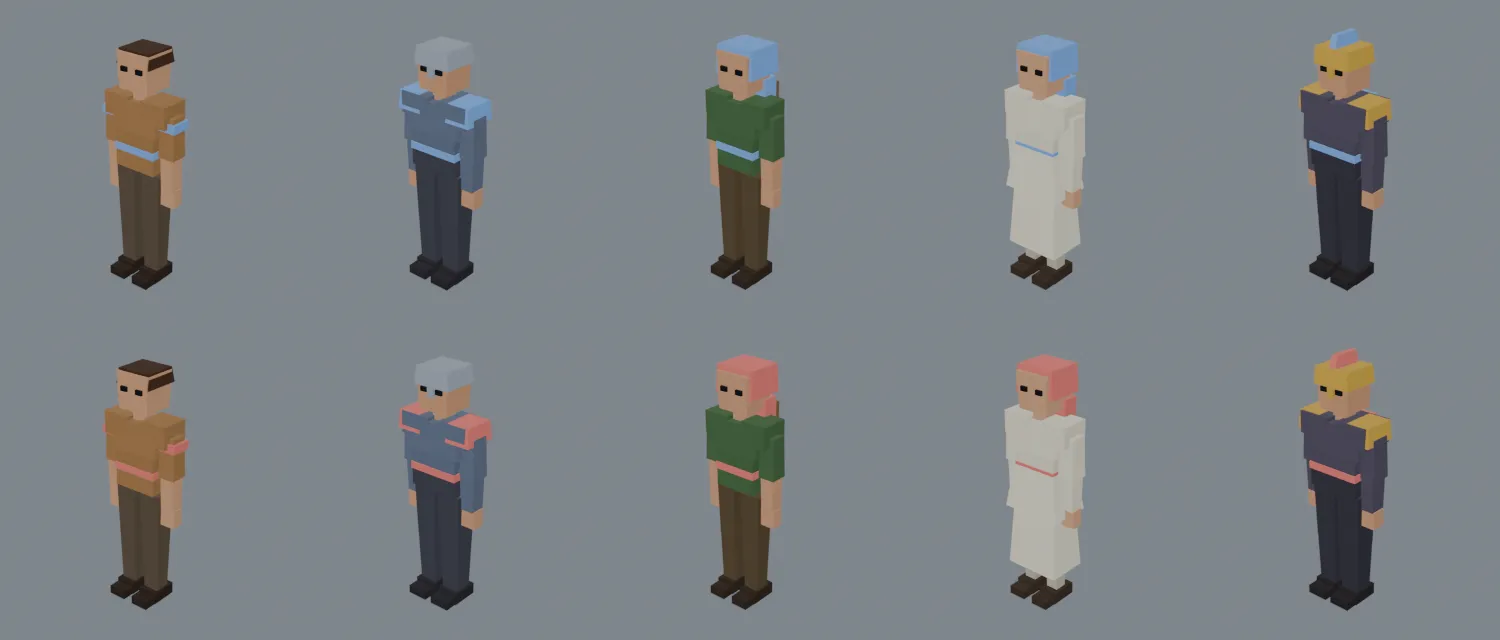
The same five characters with only slot 1’s colour changed.
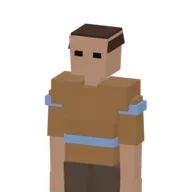
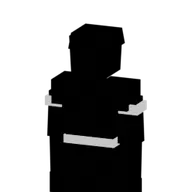
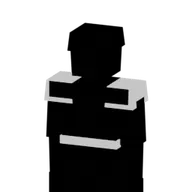
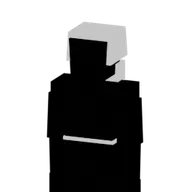
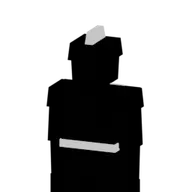
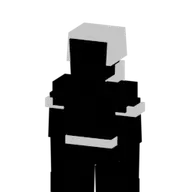
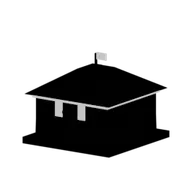
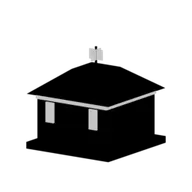
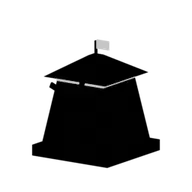
The UI icons use the same idea. Each icon is a Base image plus a Mask that marks its faction-coloured part in white, and the plugin’s tinted icon material blends them:
lerp(BaseTexture.RGB, FactionColor, FactionMask.RGB * FactionMask.A)with the Base image’s alpha driving the opacity mask. Try it here: pick a colour, or show the masks.
Villager 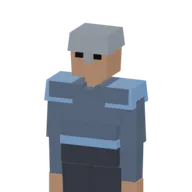
Infantry 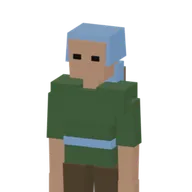

Archer 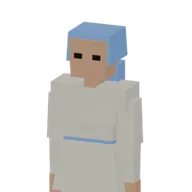
Priest 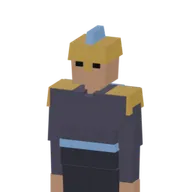
Hero 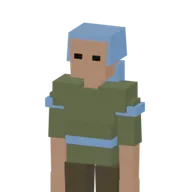
Scout 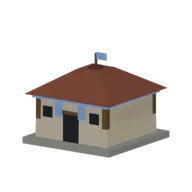
Town Centre 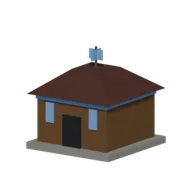
Barracks 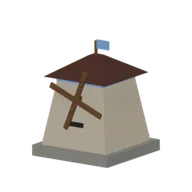
Mill 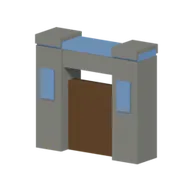
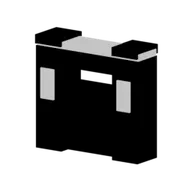
Wall Gate 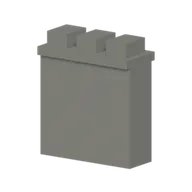

Wall 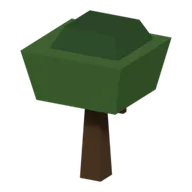

Tree
The Wall and the Tree don’t change colour: a wall piece has no faction parts and a tree has no owner, so their masks are fully black and the blend leaves the Base image as it is.
Animation library
Section titled “Animation library”Eleven character clips at 30 fps. All of them play on every character, in place.
| Clip | Frames | Length | Loops | Ground contact |
|---|---|---|---|---|
A_Char_Idle |
120 | 4 s | Yes | Feet |
A_Char_Walk |
24 | 0.8 s | Yes | Feet |
A_Char_CarryWalk |
24 | 0.8 s | Yes | Feet |
A_Char_Farm |
48 | 1.6 s | Yes | Feet |
A_Char_Mine |
36 | 1.2 s | Yes | Feet |
A_Char_ChopWood |
40 | 1.33 s | Yes | Feet |
A_Char_Attack |
30 | 1 s | Yes | Feet |
A_Char_Attack2 |
30 | 1 s | Yes | Feet |
A_Char_HitReact |
18 | 0.6 s | No | Feet |
A_Char_Cheer |
48 | 1.6 s | Yes | Feet |
A_Char_Die |
45 | 1.5 s | No | Whole body |
A_Char_Attackis a slash (swords, generic melee) andA_Char_Attack2is a thrust (spears).A_Char_CarryWalkshares the walk’s stride exactly, so it swaps in on the return leg of a gather trip without a speed change.- Most clips are planted on the boots, which are identical on every type.
A_Char_Dieis planted against every character’s whole body, so the Hero’s cape and the Priest’s robe don’t sink into the ground; the types without them float a few centimetres at the end of the fall, about two pixels at RTS zoom. - Working clips use a square stance, both legs identical, so both boots sit at the same height and plant together.

A_Char_Walk on five character types. The stride is identical, so they stay in step.

A_Char_Attack
A_Char_ChopWood
A_Char_Mine
A_Char_Farm
A_Char_Die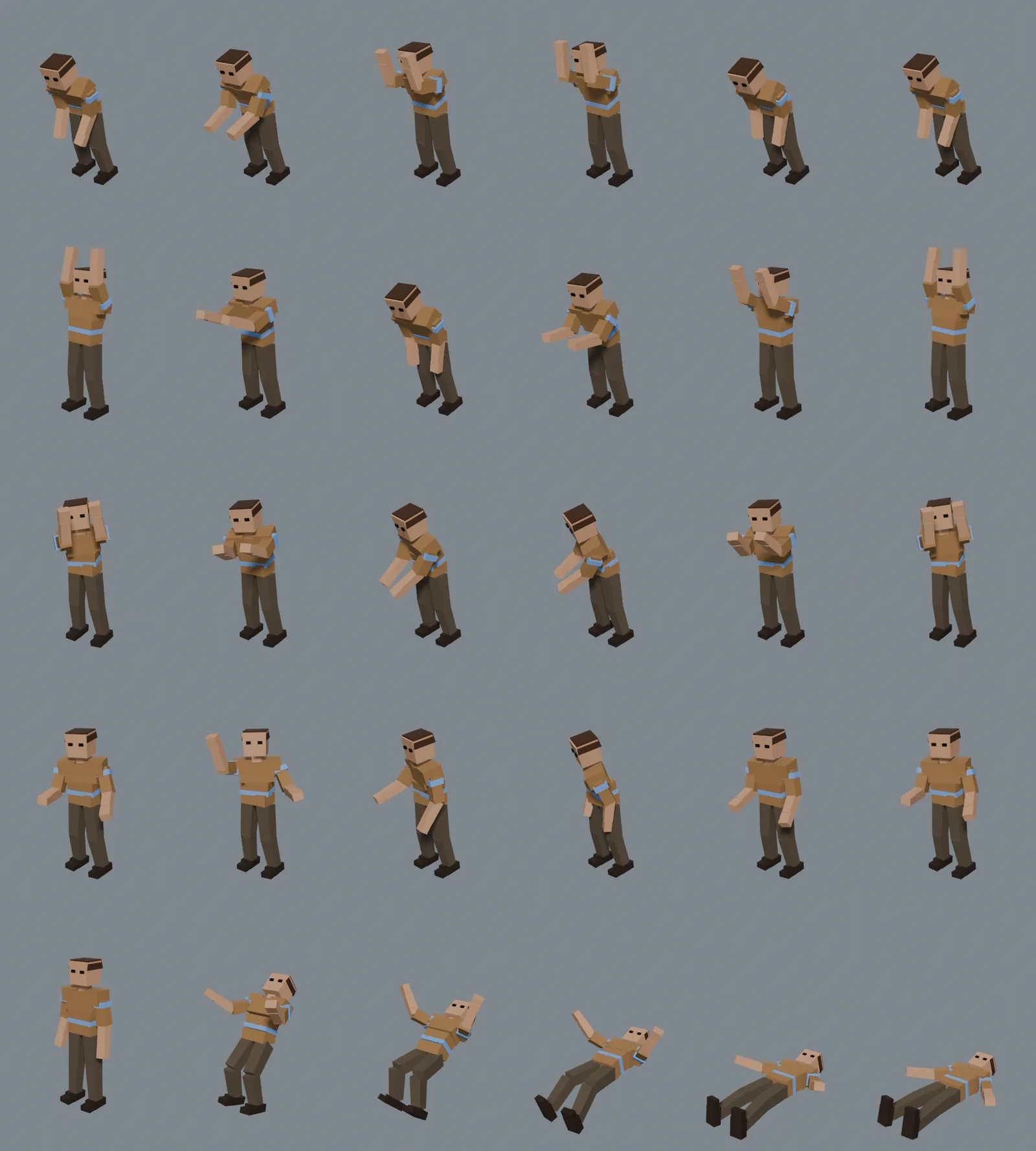
The Villager through five clips, six frames each. The bottom row is A_Char_Die.
The four animal clips are listed under Wildlife.
UI icons
Section titled “UI icons”T_Icon_<Name>_Base and T_Icon_<Name>_Mask pairs, 256×256 with transparent backgrounds: the ten units, ten buildings (Town Centre, Mill, Lumber Camp, Mining Camp, Barracks, Archery Range, Blacksmith, Watch Tower, Wall and Wall Gate), the five resource nodes, the three animals, and Demolish. Characters are framed as upper-body portraits, since a full-length figure at icon size is mostly boots. Buildings are framed whole, at a low angle so the two open-sided camps don’t read as the same roof. Resource node icons are named for their row ID (Tree, GoldMine, StoneMine, BerryBush, Farm), the same key the data table uses.

Villager T_Icon_Villager_Base
Infantry T_Icon_Infantry_Base
Swordsman T_Icon_Swordsman_Base
Spearman T_Icon_Spearman_Base
Archer T_Icon_Archer_Base
Crossbowman T_Icon_Crossbowman_Base
Scout T_Icon_Scout_Base
Monk T_Icon_Monk_Base
Priest T_Icon_Priest_Base
Hero T_Icon_Hero_Base
Town Centre T_Icon_TownCenter_Base
Mill T_Icon_Mill_Base
Lumber Camp T_Icon_LumberCamp_Base
Mining Camp T_Icon_MiningCamp_Base
Barracks T_Icon_Barracks_Base
Archery Range T_Icon_ArcheryRange_Base
Blacksmith T_Icon_Blacksmith_Base
Watch Tower T_Icon_WatchTower_Base
Wall T_Icon_Wall_Base
Wall Gate T_Icon_WallGate_Base
Demolish T_Icon_Demolish_Base
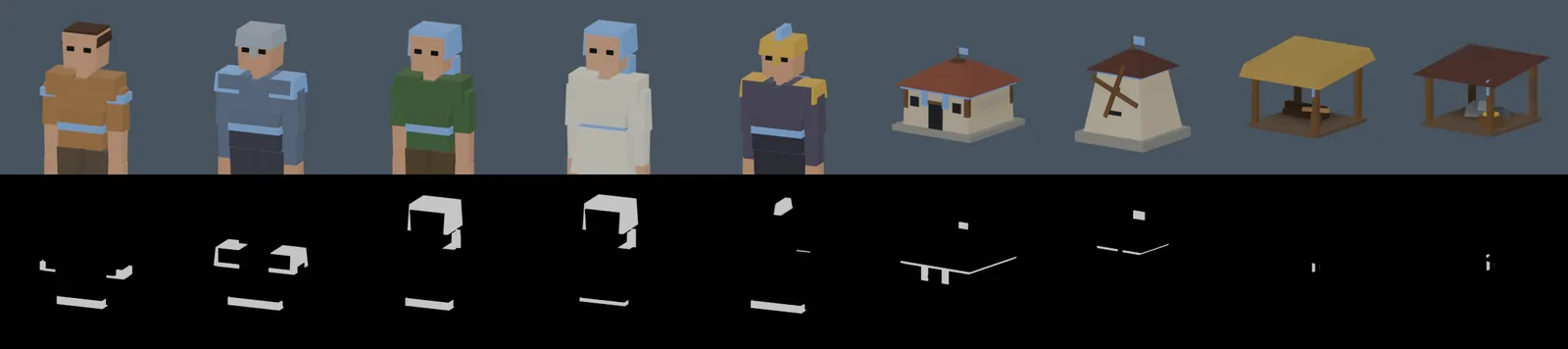
Base images (top) and their masks (bottom). White in the mask is where the faction colour goes.
The House uses T_HouseIcon and T_HouseIconMask from Blueprints/UI/UI_Assets instead. The Market and Temple, which have no gameplay row, have no icons.
Systems
Section titled “Systems”RTS camera
Section titled “RTS camera”ARTSKitCameraPawn is a spring-arm camera. WASD and the screen edges pan it, with an easing ramp across the edge band. The mouse wheel zooms, pan speed scales with zoom, and the camera pitches toward overhead as you zoom out. Zoom heads toward the point under the cursor. Alt + right-drag orbits and middle-drag pans, and the pivot stays clamped to the ground. The camera can switch between perspective and orthographic at runtime (the RTSKitToggleProjection console command does it) for a classic isometric look, and a match opens on your own faction’s start marker.
Selection
Section titled “Selection”Click to select one entity, or drag a marquee over your units. Click a portrait to narrow the selection to one, or Shift-click it to narrow to that type. Enemy buildings can be selected for inspection, but show no action cards. The marquee and the hover health bars are drawn by ARTSKitHUD on the HUD canvas.
Selection never crosses the network: it is local to each player. Only orders are sent.
Commands and authority
Section titled “Commands and authority”Every order starts as a call on IRTSKitCommander:
IssueMoveCommand IssueGatherCommand IssueBuildCommandIssueConstructCommand IssueTrainCommand IssueAttackCommandIssueRallyCommandARTSKitPlayerController implements them by sending a server RPC. ARTSKitAICommander implements them by calling straight through, because it already runs on the server. Both end in URTSKitCommandLibrary::Execute*Command, which re-checks ownership, entitlement, price, population and placement, and silently drops anything the caller does not own.
Placement grid
Section titled “Placement grid”CheckPlacement is shared by the ghost and the server:
- Snap to the placement grid. Footprint cells come from the mesh bounds times
MeshScale, so the art defines the footprint. Odd footprints centre on a cell, even ones on a corner. - Trace for ground, skipping RTSKit’s own actors so a gate can be placed against a wall.
- Reject slopes over the row’s
MaxPlacementSlope. - Box-overlap the footprint against buildings, units and nodes.
- An optional clearance ring in whole cells, used by the AI.
Because the preview and the decision run the same function, a green ghost is never refused by the server. The grid size is set on the game state; 200 cm matches the shipped meshes.
Walls and gates
Section titled “Walls and gates”A bLinePlacement action drags a run: the first click anchors, the second commits. Runs snap to the world axes and the shared grid, which is what lets two runs meet without a gap. Every segment is validated and charged on its own, so a run that crosses a rock, or outruns your stockpile, simply gains a hole. Hold Shift to keep placing.
Each piece picks its own mesh and rotation from its neighbours: straight, corner, T, cross or end. Placing or destroying a piece re-forms the pieces beside it, so knocking a hole in a wall leaves the survivors correctly capped.
A gate snaps onto an existing wall line and claims the pieces under it. While a friendly or allied unit is near, it stops blocking pawns. Enemies plan through the gateway and bump into the shut doors, which is where a siege starts. The navmesh always sees the gateway as open, so paths route through it.
Gathering
Section titled “Gathering”SetGatherTarget runs a loop on the server: walk to a spot on the node’s gather ring, harvest at GatherRate until GatherCapacity is full, carry the load to the nearest building whose row accepts that resource, deposit, and return. The carry mesh, the tool and the work animation all come from the resource’s row, so the cursor, the prop and the animation tell the same story.
When a node runs dry, the unit finds another of the same resource within NodeSearchRadius. Farms with bAutoReplant refill on the last handful, charging ReplantCost to the harvesting faction, and their stage meshes snap back; if the faction can’t pay, the node depletes normally.
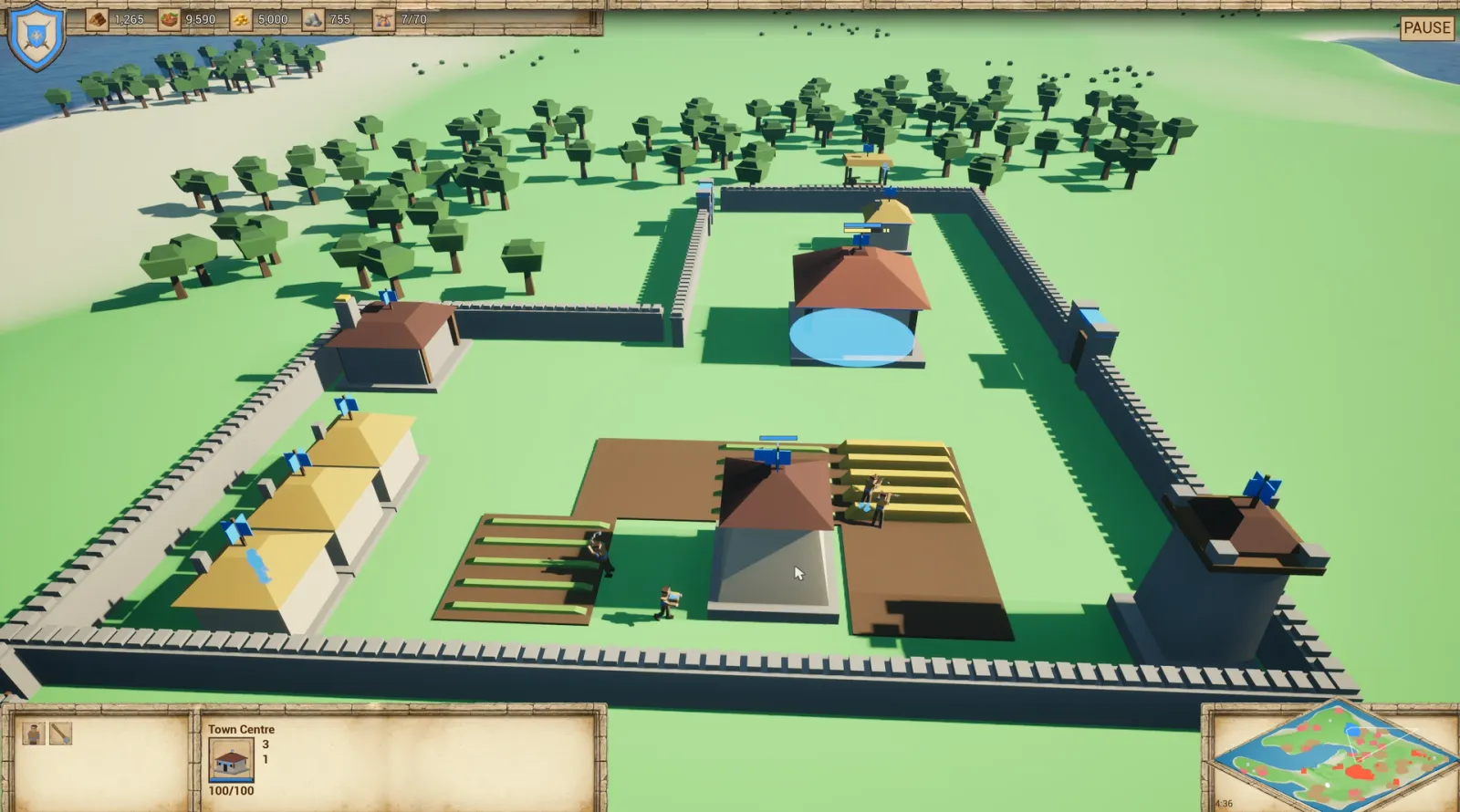
Villagers farming around the Mill. The Town Centre is selected, so the selection panel and command card show it.
Construction
Section titled “Construction”A build spawns a scaffold, and the villagers who placed it walk over and feed it villager-seconds. Two builders halve the time. A builder that finishes rolls on to the nearest unfinished site. Right-clicking a friendly scaffold adds more hands. Builders hold the hammer while they work.
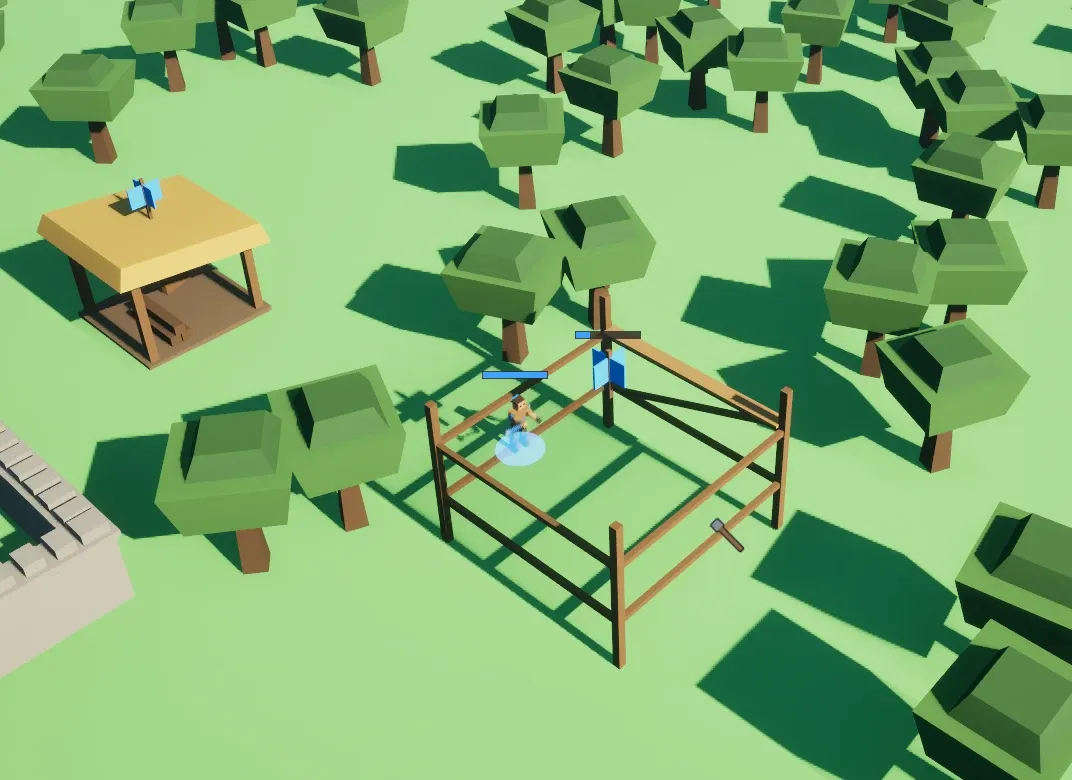
A building going up on its scaffold at the forest edge. The scaffold already flies its owner’s flag.
Training, population and rally
Section titled “Training, population and rally”A producer holds a queue of Train actions. The cost is paid when the unit is queued; a unit blocked by the population cap waits at the door rather than being refunded. Progress is computed from two replicated timestamps, so a client’s progress bar costs no extra network traffic.
Buildings with PopulationProvided raise their owner’s cap, and each Train action costs its PopulationCost. With no rally point set, trainees gather on the nearest open ground beside the building, and step out on the side facing where they are going. Right-click the ground with only buildings selected to set a rally point.
Combat and stats
Section titled “Combat and stats”Each entity carries a URTSKitStatsComponent with live, free-form stats: Health, Attack, Armor, Range and Speed in the demo, or whatever your game uses. The stats come from the Stats map on the row.
Right-click an enemy to attack. Idle units engage enemies inside their AggroRadius. Damage lands in ticks, AttackInterval seconds apart, and each tick does the attacker’s Attack minus the target’s Armor, never less than 1. The attack clip is sped up or slowed so one swing spans one interval. Range is the attack distance; units without one fight at melee distance. Units play their AttackAnim and DeathAnim, can show a WeaponMesh and an AttackToolMesh, and leave a corpse that lingers a few seconds. Buildings take damage, leave their RubbleMesh and hand back the population they provided.
Movement and the stuck watchdog
Section titled “Movement and the stuck watchdog”Units are Pawns with direct steering and a downward ground trace, not Characters. In an RTS every unit is a simulated proxy on every client, so the character movement component’s prediction machinery would be pure overhead.
- Goals route through the navmesh and walk the corridor; short hops and maps without a navmesh fall back to straight-line steering.
- A blocked step slides along the obstacle and replans, so units shed around buildings.
- Water is a wall to walkers: a step into the sea becomes a walk along the shore.
- A stuck watchdog notices a unit that is trying to move but going nowhere, and recovers it in steps: replan to the nearest reachable point, walk out to open navmesh, snap back onto the navmesh, and finally drop the order. It is the difference between a demo you can leave running and one you cannot.
- Faction-coloured silhouettes draw through anything standing in front of a unit.
Groups move with simple spacing: there are no formations in 1.0.
Minimap
Section titled “Minimap”ARTSKitMapDefinition owns a top-down scene capture and hands out the render target. A fixed map is photographed once; a streaming map is re-photographed periodically so new chunks appear, and an infinite map’s window rides the camera. Water is captured as a flat colour, because translucent water photographs as glass.
URTSKitMinimapWidget paints the blips directly (no widget per actor), draws the camera frustum, jumps the camera on click and orders the selection on right-click. URTSKitMinimapAngledWidget is the same map drawn as a 2:1 diamond. The demo widgets are WBP_Minimap and WBP_AngledMinimap.
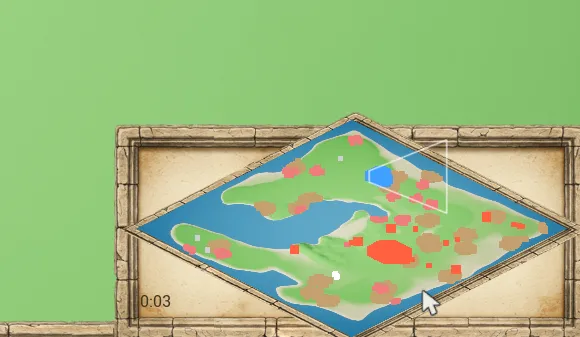
The diamond minimap from the demo HUD, with the camera’s view outlined in white and the match clock in its corner.
The AI commander
Section titled “The AI commander”One ARTSKitAICommander per AI faction, thinking every DecisionInterval seconds. It runs only on the server and issues orders through the same IRTSKitCommander interface as the player, so it cannot cheat.
Economy. Villagers are split between resources by weight, and the weights follow the stockpile: a resource banked above StockpileComfort has its share shrink in proportion, and one working villager per pass moves from the most over-staffed resource to the most short-handed one. Nodes are chosen by how far the load has to walk to a drop-off, not by distance from home, with a crowding penalty so gatherers spread out. When the best node of a resource is further than DropOffMaxDistance from every drop-off, the AI builds a camp out there instead. Camps whose resources are exhausted stop counting toward the camp limit.
Expansion. BuildOrder is a ladder walked top to bottom. The first rung below its count is pursued, and if it is unaffordable the AI saves up for it rather than skipping ahead to something cheap. Houses are raised outside the ladder whenever population headroom runs short. Past its desired villager and army counts, it keeps growing from surplus alone.
Layout. When the faction start has a settlement plan, buildings go into city blocks: one type per block, so houses and farms line up in rows and different buildings always have a street between them. Doors face the street nearest home.
Defences. Once the trigger building stands, the settlement walls itself in: a ring along the streets around the occupied blocks, with spare blocks inside, a gate where the main street on each side crosses the wall, and watch towers at the gates and corners. Gate spots are never walled, so villagers are never sealed in. When the town fills its spare blocks, a wider ring goes up and the old wall stays as an inner line.
Army. Train actions are walked in a rotation for a mixed army. Defence is leashed to the faction’s own ground, and intruders get the whole nearby group’s answer.
The AI is a solid demo opponent, not a competitive one: it has no scouting, no attack timing and no tactics beyond leashed defence.
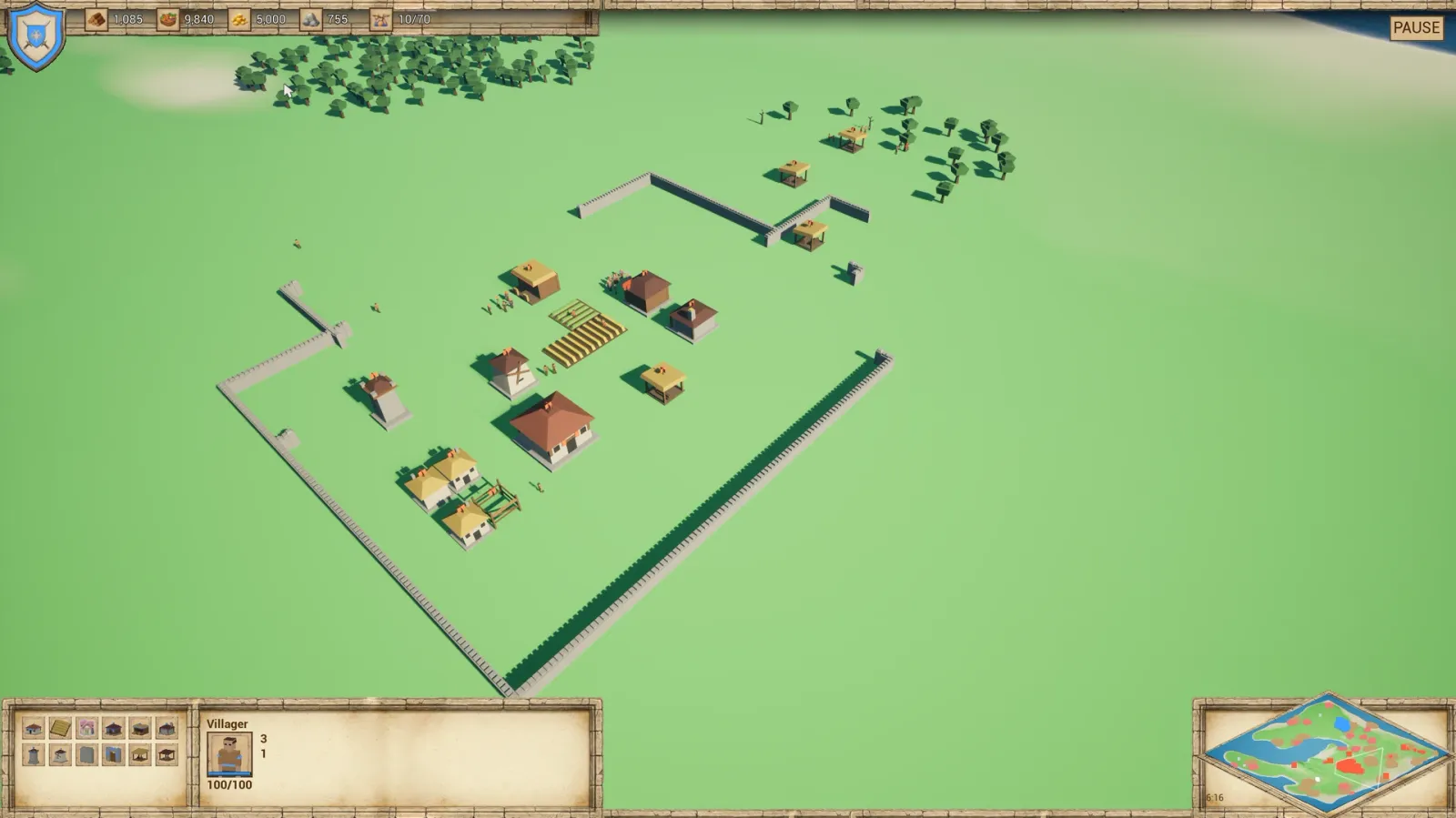
The AI’s town about six minutes in: buildings grouped by type, camps out at the forest, and its wall ring going up.
Factions and diplomacy
Section titled “Factions and diplomacy”FRTSKitFactionData is the immutable archetype, a row in DT_Factions. ARTSKitFactionState is the live, replicated half, seeded from it at match start: resources, population, relations and colours. Relationships live per match on the game mode, default to Enemy, and can be asymmetric. ARTSKitPlayerState::FactionId is the only place “which faction am I?” is answered for a human player.
Save and load
Section titled “Save and load”URTSKitSaveLibrary::SaveMatch photographs the running match: faction stockpiles and diplomacy, every unit (including its cargo and current job), every building (scaffold progress, train queue, rally point), every node’s stock, and the camera. LoadMatch applies it to the same map, live. Both run on the server only. Orders in flight, fog and dead things are deliberately not saved.
The game mode can auto-load a slot at startup, which is what makes F5 and F9 feel like a real quicksave. The RTSKitSave and RTSKitLoad console commands do the same with a named slot.
Multiplayer model
Section titled “Multiplayer model”RTSKit is built server-authoritative from the start. Orders are the only thing a client sends: the player controller turns each one into a server RPC, and the command library validates it there. Units, buildings and resource nodes replicate, and so does each faction’s live state. Selection stays local. Training progress bars run from replicated timestamps, so they add no traffic.
RTSKit 1.0 provides the replication and command model, not a front end: there is no lobby, matchmaking or campaign flow.
Map authoring actors
Section titled “Map authoring actors”| Actor | What it does |
|---|---|
ARTSKitMapDefinition |
One per level: how big the world is, where the water line sits, and how the minimap photographs it |
ARTSKitFactionStart |
A faction’s start: list what it starts with, press Populate to lay out the starting village on its settlement plan. Set Seed to keep a layout |
ARTSKitResourceScatter |
Scatters the wilderness: forests in clumps, mines as lone finds, berry patches between |
Everything is seeded and reproducible, and all of it works on fixed maps and on infinite streaming terrain. ARTSKitFactionStart was formerly called RTSKitVillageCenter; redirects carry old maps across.
The HUD has three layers:
ARTSKitHUDdraws the drag marquee and the hover health bars on the canvas, and creates the HUD widget.URTSKitHUDWidgetis the base class for your HUD. It solves the replication race: its Blueprint events fire with real numbers whichever order the faction, the player state and the game state arrive in.URTSKitLocalPlayerSubsystemis one stable object for widgets to bind to.
The command card is built from the actions the whole selection shares, with affordability, population and tag gating, and a formatted hover tooltip. Resource counters are driven by DT_Resources, alongside a population readout and a match clock. WBP_HUD is a complete HUD to start from.
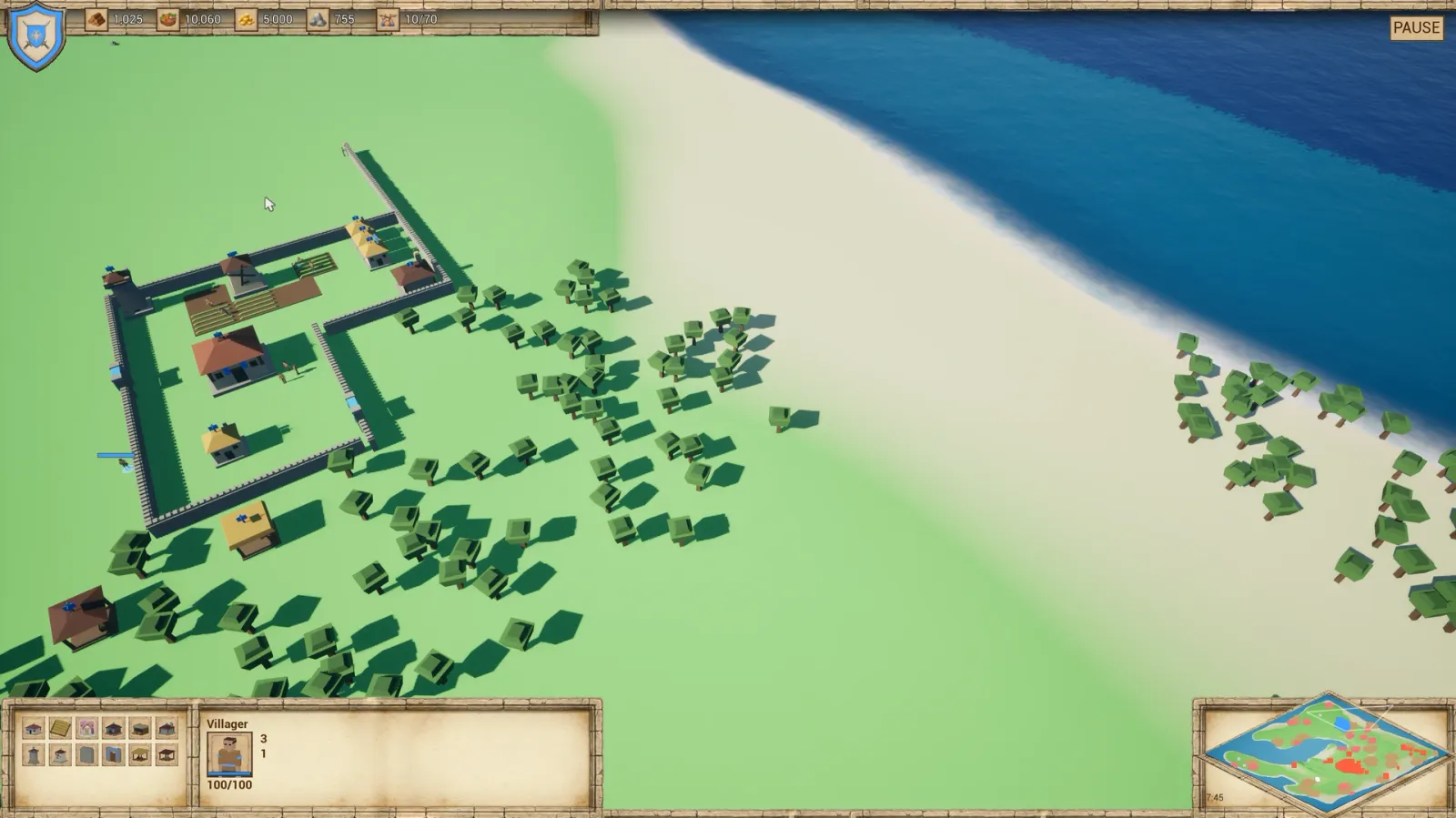
The demo HUD, WBP_HUD: resource counters and population along the top, the command card and selection panel bottom left, and the minimap bottom right.
Data table reference
Section titled “Data table reference”Four tables define the game. The row name is always the ID.
DT_Units
Section titled “DT_Units”Units, buildings and resource nodes in one table, separated by Kind.
| Field | Applies to | Meaning |
|---|---|---|
DisplayName, Description, Icon, IconMask |
All | Panel presentation; the mask marks the faction-tinted part |
Kind |
All | Unit, Building or Resource |
SkeletalMesh, AnimClass |
Units | Visuals |
StaticMesh, MeshScale |
Buildings, nodes | Visuals; the scale also counts in the grid footprint |
WallVariants, WallVariantsFoundation |
Walls | Meshes per adjacency pattern, for autotiling, and the same set for the under-construction state |
FootprintRadius, MaxPlacementSlope |
Buildings | Placement checks |
BuildTime, ConstructionMesh |
Buildings | Villager-seconds and the scaffold |
PopulationProvided |
Buildings | Raises the owner’s cap |
AcceptedResources |
Buildings | Makes it a drop-off |
GateOpenRadius, GateOpenMesh |
Buildings | Makes it a gate |
RubbleMesh |
Buildings | Wreck left on death |
GatherRate, GatherCapacity |
Units | Makes it a gatherer |
ProvidedResourceId, NodeAmount, GatherRadius |
Nodes | What it yields, how much, and from how close |
DepletionStageMeshes, bStagesGrow |
Nodes | A mesh per stock stage; grow for farms |
bAutoReplant, ReplantCost |
Nodes | The farm cycle |
AttackAnim, DeathAnim, WeaponMesh, AttackToolMesh |
Units | Combat presentation |
AttackInterval, AggroRadius |
Units | Combat behaviour: seconds between damage ticks, and how close an idle unit engages |
BuildAnim, BuildToolMesh |
Units | The looping clip and the tool (the hammer) while constructing |
HaulMontage |
Units | Upper-body montage played while hauling a load, alongside the carry mesh |
CorpseNodeId |
Units | Resource node left on death |
Actions |
All | The DT_Actions rows this entity offers |
Stats |
All | Free-form map: Health, Attack, Armor, Range, Speed |
DT_Actions
Section titled “DT_Actions”The command card.
| Field | Meaning |
|---|---|
DisplayName, Description, Icon, IconMask, HotkeyLabel |
Button presentation |
SlotIndex |
Fixed grid position, so a button never moves |
ActionType |
Build, Train or Command |
SpawnUnitId |
The DT_Units row produced |
SpawnActorClass |
Optional; falls back to the game state’s default class |
bLinePlacement |
Build as a dragged line of segments (walls) |
Cost, PopulationCost, TrainTime |
Price and time |
RequiredFactionTags |
Tech and age gating |
DT_Resources
Section titled “DT_Resources”Resource types: display name, icon, colour, HUD sort order and visibility, plus the presentation of gathering it: the cursor, the carry mesh, the tool mesh and the looping work animation.
DT_Factions
Section titled “DT_Factions”Faction archetypes: display name, colours, icon, controller type (Human, AI or Neutral), starting resources, starting population cap and faction tags. Diplomacy is not here: who is allied with whom is a property of a match, so it lives on the game mode.
What the demo tables ship with
Section titled “What the demo tables ship with”- Units: Villager, Infantry, Swordsman, Spearman, Archer, Crossbowman, Scout, Monk, Priest and Hero, plus Deer, Boar and Sheep.
- Buildings: Town Centre, House, Mill, Lumber Camp, Mining Camp, Barracks, Archery Range, Blacksmith, Watch Tower, Wall and Wall Gate.
- Nodes: Tree, Berry Bush, Gold Mine, Stone Mine and Farm.
- Resources: Wood, Food, Gold and Stone.
- Factions: Vanguard (human), Scourge (AI) and Wildlife (neutral).
Row structs deliberately have no EditConditionHides: conditionally hidden properties inside a row struct crash the row editor in UE 5.4. Every field is always visible, and the Applies to column above tells you which ones matter for each kind.
Class reference
Section titled “Class reference”| Class | Role |
|---|---|
ARTSKitGameModeBase |
Spawns faction states, applies match diplomacy, hands humans their slots, spawns AI commanders |
ARTSKitGameState |
Faction registry, the four DataTables, placement grid size, match clock |
ARTSKitFactionState |
Live faction: resources, population, relations, colours |
ARTSKitPlayerState |
Which faction a human commands |
ARTSKitPlayerController |
Selection, orders, placement mode, cursors, quick save keys |
ARTSKitCameraPawn |
The RTS camera |
ARTSKitHUD |
Marquee and hover bars; creates the HUD widget |
URTSKitHUDWidget |
Base class for your HUD: faction, resource, population and selection events |
URTSKitLocalPlayerSubsystem |
One stable object for widgets to bind to |
URTSKitMinimapWidget, URTSKitMinimapAngledWidget |
Minimap, square or diamond |
ARTSKitUnit |
Units: steering, gathering, construction, combat |
ARTSKitBuilding |
Buildings: construction, training, gates, rubble, wall autotiling |
ARTSKitResourceNode |
Nodes: stock, stages, replanting |
ARTSKitPlacementGhost |
The placement preview |
URTSKitStatsComponent |
Live per-entity stats |
ARTSKitAICommander |
The AI brain |
ARTSKitMapDefinition |
Map bounds, water, minimap capture |
ARTSKitFactionStart |
Starting settlement, settlement plan |
ARTSKitResourceScatter |
Wilderness scattering |
URTSKitCommandLibrary |
The validated command implementations |
URTSKitSelectionLibrary |
Turns a selection into display info |
URTSKitActionLibrary |
The command card query |
URTSKitFactionLibrary, URTSKitResourceLibrary |
Table lookups |
URTSKitSaveLibrary |
Save and load |
IRTSKitCommander, IRTSKitSelectable |
The two interfaces the design rests on |
Blueprint events
Section titled “Blueprint events”Implement these in Blueprint children. Every one fires on all machines unless noted.
| Class | Events |
|---|---|
| Building | On Construction Completed, On Unit Trained, On Gate State Changed, On Building Destroyed, On Faction Changed, On Selection Changed |
| Unit | On Died, On Faction Changed, On Selection Changed |
| Resource node | On Depleted, On Replanted (server only), On Selection Changed |
| HUD widget | On Faction Ready, On Resource Updated, On Population Updated, On Selection Updated |
| Placement ghost | On Placement Validity Changed |
| Player controller | On Placement State Changed, On Build Result |
| Map authoring | On Faction Start Populated, On Scatter Populated |
| Camera | On Quick Save, On Quick Load |
Console commands
Section titled “Console commands”| Command | What it does |
|---|---|
RTSKitSave [slot] |
Save the match |
RTSKitLoad [slot] |
Load a match onto the open map |
RTSKitToggleProjection |
Flip between perspective and isometric |
RTSKitDebugFactions |
Dump every faction state, its colours and resources |
RTSKitDebugCommandAll |
Throw every unit in the world at the ownership gate and log what it accepted |
Recipes
Section titled “Recipes”Add a unit type
Section titled “Add a unit type”- Add a
DT_Unitsrow:Kind= Unit, a skeletal mesh, stats and an icon. - Add a
DT_Actionsrow:ActionType= Train,SpawnUnitId= your row, a cost and a train time. - Add that action’s name to the producing building’s
Actions.
No new classes and no Blueprint work.
Make the Scout, Monk, Priest or Hero trainable
Section titled “Make the Scout, Monk, Priest or Hero trainable”These four already have DT_Units rows, so only the last two steps of the recipe above are needed:
- Add a
DT_Actionsrow:ActionType= Train,SpawnUnitId=Scout(orMonk,Priest,Hero), a cost, aPopulationCostand a train time. - Add that action’s name to the
Actionsof the building that should train it.
Add a building
Section titled “Add a building”- Add a
DT_Unitsrow:Kind= Building, a static mesh,BuildTime,ConstructionMesh,FootprintRadius, stats, andAcceptedResourcesif it is a drop-off. - Add a
DT_Actionsrow:ActionType= Build,SpawnUnitId= your row, a cost. - Add the action to the Villager’s
Actions.
Add a resource
Section titled “Add a resource”- Add a
DT_Resourcesrow: name, icon, colour, sort order, carry mesh, tool and gather animation. - Add a
DT_Unitsrow withKind= Resource andProvidedResourceIdpointing at it. - Add the resource to a drop-off building’s
AcceptedResources.
Swap the AI
Section titled “Swap the AI”Set AICommanderClass on the game mode to your own subclass, or to a Blueprint child with different tunables. To write a brain from scratch, implement IRTSKitCommander on any actor and issue the same orders the player does.
Build your own HUD
Section titled “Build your own HUD”Reparent your widget to URTSKitHUDWidget. Build counters in On Faction Ready, update them in On Resource Updated, rebuild the command card in On Selection Updated from GetSelectionActions, and call TriggerAction from the buttons.
Use your own art
Section titled “Use your own art”- Point the rows at your meshes:
SkeletalMeshandAnimClassfor units,StaticMeshfor buildings and nodes. - Give every mesh the same two material slots: slot 0 for everything else, slot 1 for the faction-coloured parts. See Faction colour.
- Set the placement grid size to match your art. 200 cm matches the shipped meshes.
Notes and gotchas
Section titled “Notes and gotchas”- Faction colour lives on material slot 1 (
M_Faction). Slot 0 is the shared palette atlas and must be left alone, or every unit gets its own material and draw-call merging is lost. Custom Primitive Data needs the parameter marked for it on the material; the dynamic material path works with any vector parameter. - The silhouette material must be unlit and translucent, with depth test disabled and a
FactionColorparameter. - The placement grid size should match your art. 200 cm matches the shipped meshes: the wall is 200, the gate 400, the house 390 and the town centre 800.
- Navigation must be dynamic with invokers, and the level needs a NavMeshBoundsVolume, or units fall back to straight-line steering.
- DataTable row structs have no
EditConditionHides, on purpose: conditionally hidden properties inside a row struct crash the row editor in UE 5.4. ARTSKitFactionStartwas formerlyRTSKitVillageCenter. CoreRedirects inConfig/DefaultRTSKit.inicarry old maps across.- Walk speed and feet. The walk cycle is authored at 124 cm/s. A unit moving faster or slower than that without scaling its play rate will skate.
Not in V1.0
Section titled “Not in V1.0”Stated plainly, so nobody buys the wrong thing:
- No fog of war.
FRTSKitVisionStateis a stub that reveals everything. - No tech tree or upgrades. The hooks exist (
RequiredFactionTags, faction tags), but the research system does not. The Blacksmith can be built but does nothing yet. - No formations or stances. Groups move with simple spacing.
- No naval units or transport.
- No lobby, matchmaking or campaign flow. The multiplayer layer is the replication and command model, not a front end.
- The AI is a solid demo opponent, not a competitive one. It has no scouting, no attack timing and no tactics beyond leashed defence.
- No projectiles. The arrow, bolt and javelin ship as art, but units do not fire them.
- No fishing. The fishing rod ships as art only.
- Not every character is trainable in the demo. The Scout, Monk, Priest and Hero have art and table rows but no Train action; add one to use them.
- Art without gameplay. The Market and Temple meshes have no gameplay row.
Do I need WorldGen?
Section titled “Do I need WorldGen?”No. WorldGen is optional. RTSKit runs on any terrain, and when a streaming world is present it cooperates with it: the WorldGen demo map runs the same game on infinite procedural terrain.
Do I need a C++ project?
Section titled “Do I need a C++ project?”Not to use RTSKit. You need one only to compile the plugin from source.
Which engine versions does RTSKit support?
Section titled “Which engine versions does RTSKit support?”Unreal Engine 5.4.
Can I use it in a game I already have?
Section titled “Can I use it in a game I already have?”Yes. RTSKit is a plugin, not a project, so it drops into an existing game.
Can I add units and buildings without C++?
Section titled “Can I add units and buildings without C++?”Yes. Units, buildings and resource nodes are rows in DT_Units, and what they cost and produce is rows in DT_Actions. Adding a unit type is two rows and a name in a list. See Recipes.
Can I use my own art?
Section titled “Can I use my own art?”Yes. Point the rows at your meshes, and keep the two material slots (everything else on slot 0, faction parts on slot 1) so faction colour works. See Use your own art.
Does RTSKit support multiplayer?
Section titled “Does RTSKit support multiplayer?”The command model is multiplayer-ready: orders are server-authoritative, and units, buildings and nodes replicate. RTSKit 1.0 has no lobby, matchmaking or campaign flow, so you bring your own session front end.
Does the AI cheat?
Section titled “Does the AI cheat?”No. It issues orders through the same IRTSKitCommander interface as the player, and the same server-side checks apply to both.
Is there fog of war?
Section titled “Is there fog of war?”Not in 1.0. The vision state is a stub that reveals everything.
Why does the Blacksmith do nothing?
Section titled “Why does the Blacksmith do nothing?”Upgrades are not in 1.0. The Blacksmith has a row, a cost and a mesh, and the tag hooks for gating exist, but there is no research system yet.
Do archers fire arrows?
Section titled “Do archers fire arrows?”No. Archers and Crossbowmen attack from range, but 1.0 does not fire projectiles. The arrow, bolt and javelin ship as art.
How do I train the Scout, Monk, Priest or Hero?
Section titled “How do I train the Scout, Monk, Priest or Hero?”Add a Train action row for the unit and list it on a building. See Make the Scout, Monk, Priest or Hero trainable.
Why do my units walk in straight lines through things?
Section titled “Why do my units walk in straight lines through things?”Navigation is not dynamic, or there is no NavMeshBoundsVolume over the play area. Units then fall back to straight-line steering. See Navigation setup.
Why are units Pawns and not Characters?
Section titled “Why are units Pawns and not Characters?”In an RTS every unit is a simulated proxy on every client, so the character movement component’s prediction machinery is pure overhead. RTSKit units steer directly with a ground trace, route through the navmesh, and have a stuck watchdog.
Can I change the controls?
Section titled “Can I change the controls?”Yes. All input is Enhanced Input; supply your own mapping context in place of IMC_RTSKit.
Can I get a classic isometric look?
Section titled “Can I get a classic isometric look?”Yes. The camera switches between perspective and orthographic at runtime. Try the RTSKitToggleProjection console command.
What does a save include?
Section titled “What does a save include?”Faction stockpiles and diplomacy, every unit with its cargo and current job, every building with its scaffold progress, train queue and rally point, every node’s stock, and the camera. Orders in flight, fog and dead things are not saved.
Which platforms does it support?
Section titled “Which platforms does it support?”Win64, Mac and Linux.
Changelog
Section titled “Changelog”First release.
- Selection, orders, economy, construction, walls and gates, training, population, combat, the AI commander, the minimap, and save and load, all driven by four DataTables.
- A server-authoritative command model shared by the player and the AI.
- Map authoring actors: map definition, faction starts with Populate, and resource scatter.
- A
URTSKitHUDWidgetbase class and theWBP_HUDdemo HUD, with square and diamond minimaps. - Demo maps on a fixed map and on WorldGen terrain.
- A low-poly medieval art set: ten gameplay characters and a reference figure, eleven shared animations, three animals, the buildings with autotiling walls, gates, scaffolds and rubble, forty-one props, UI icons and cursors.
Get help
Section titled “Get help”- YouTube: youtube.com/codelikeme for tutorials and release videos.
- Discord: ask on the CodeLikeMe Discord. Include your RTSKit version, your Unreal Engine version and, if you can, a screenshot.