Rally
Rally is the multiplayer member of the menu systems family, sold on Fab as Assetpro Lobby Kit. It is a style-neutral multiplayer front end and a complete menu system: host a game, browse servers, join by code, ready up in a lobby, play a match and see the results, all with mouse, keyboard and gamepad.
Games run on the local network the moment you enable the plugin. Friends, party and matchmaking plug in through an online provider you can replace.
Every screen is generated in C++ and drawn in code, from three data assets: a Theme for the look, a Menu Config for the content and an Online Config for modes, maps and rules.
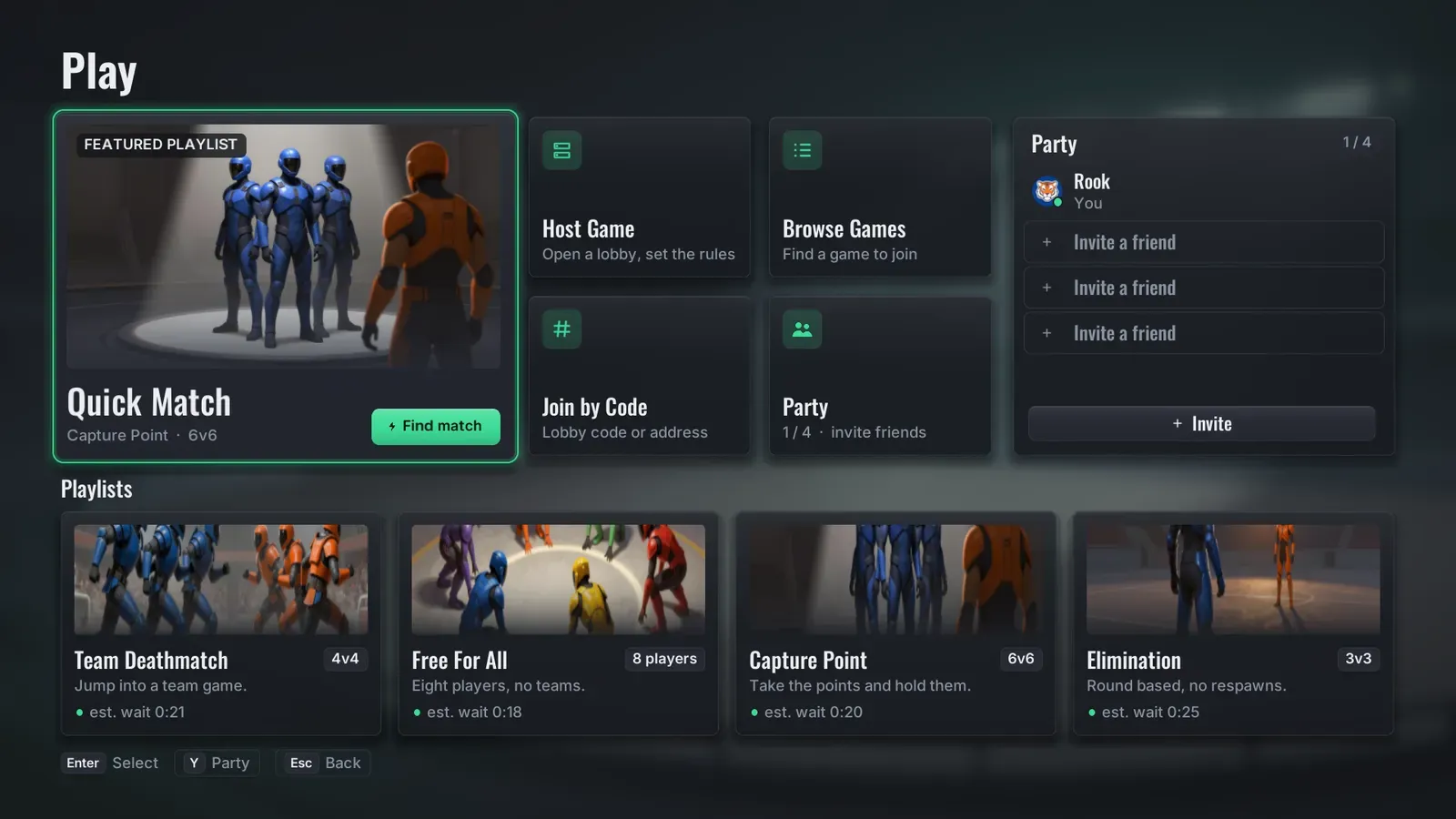
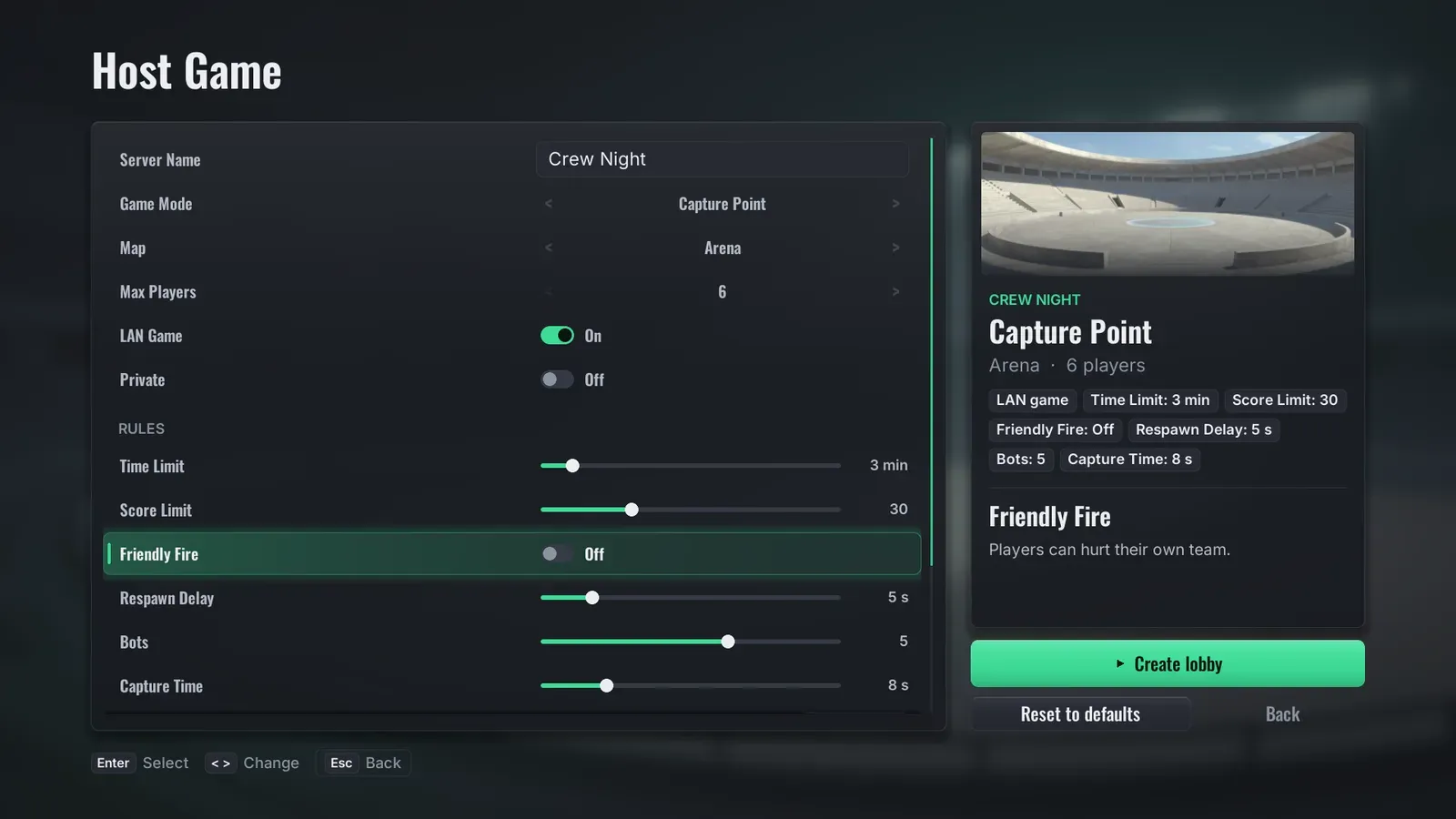
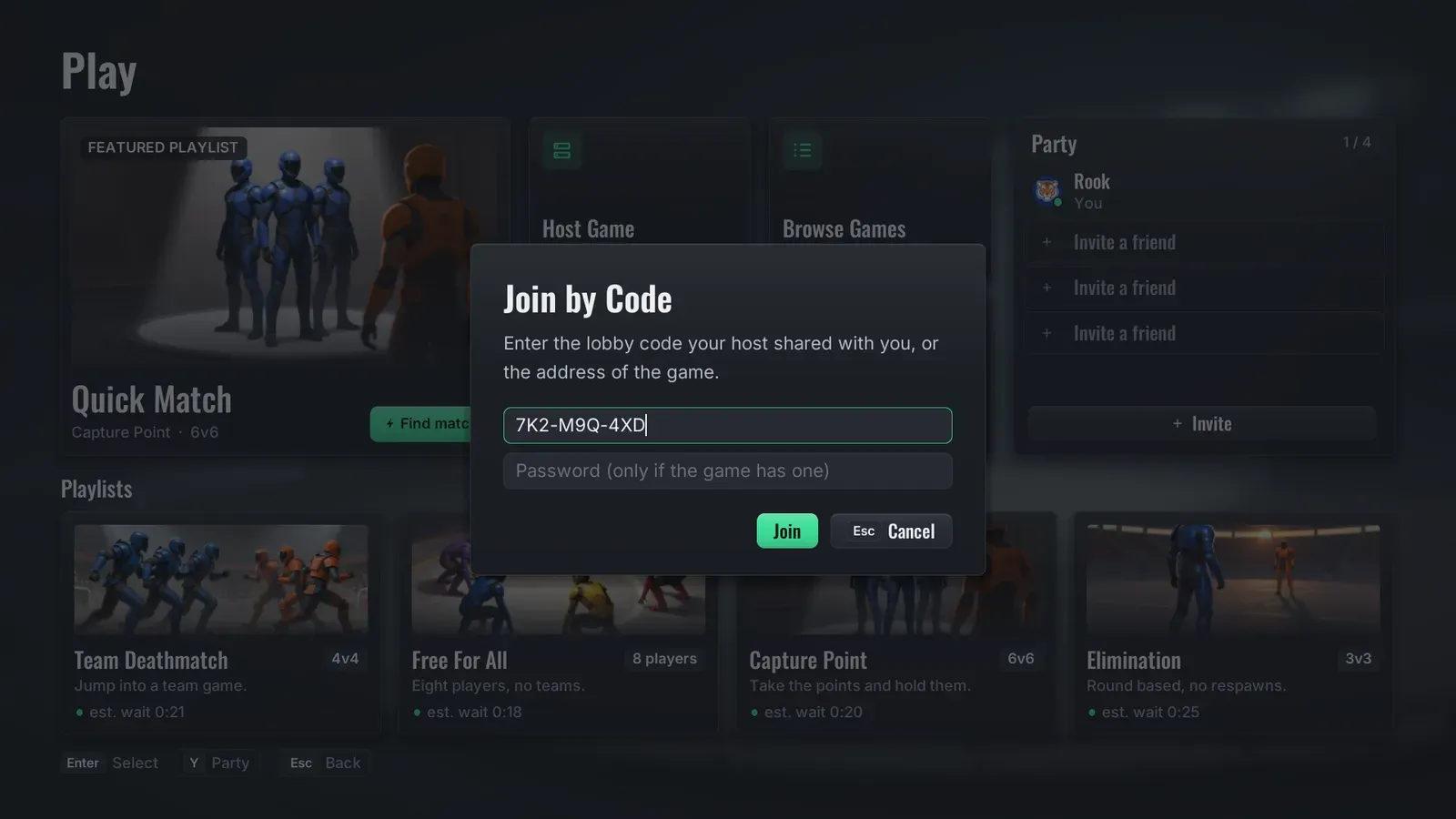
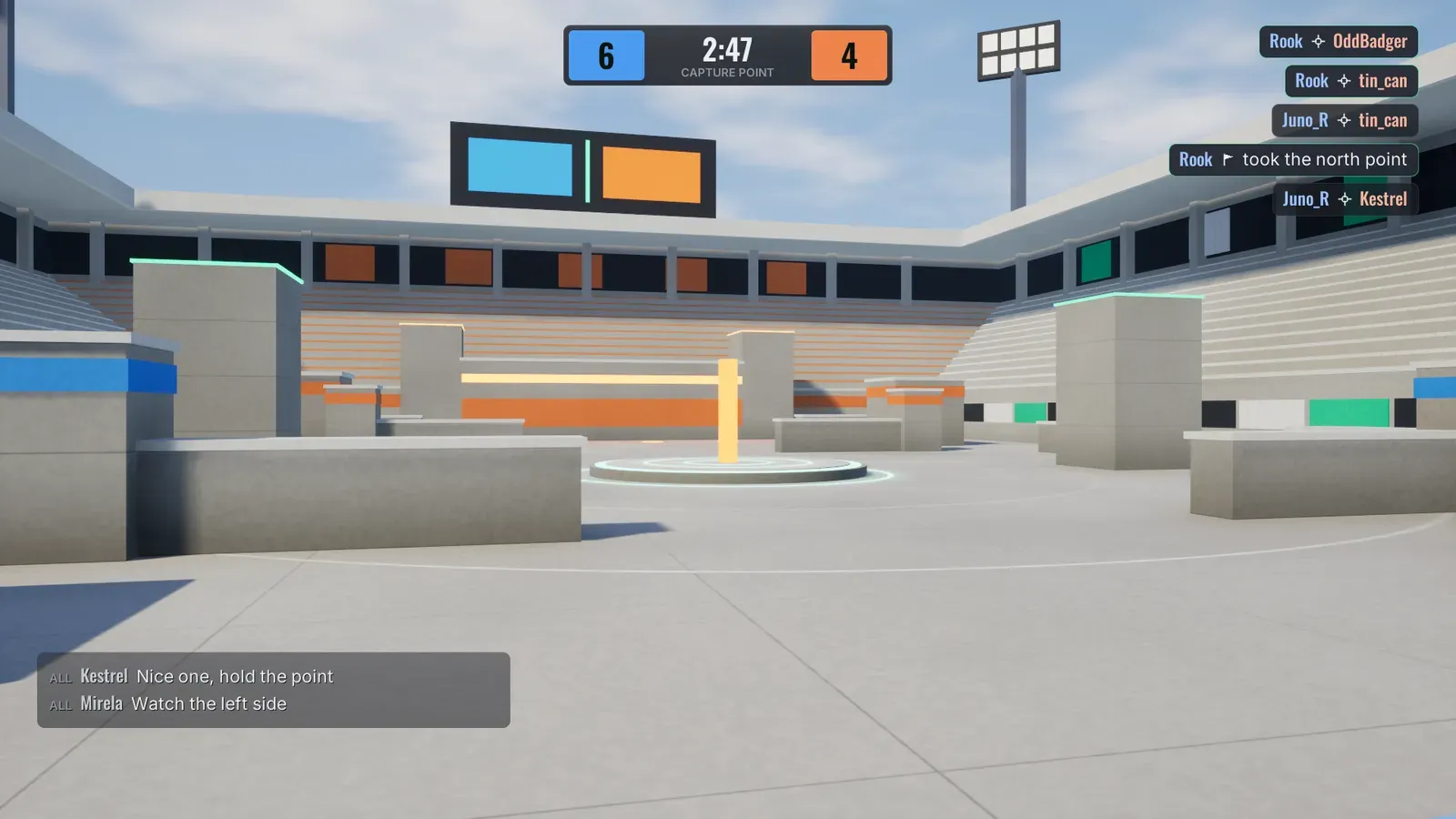
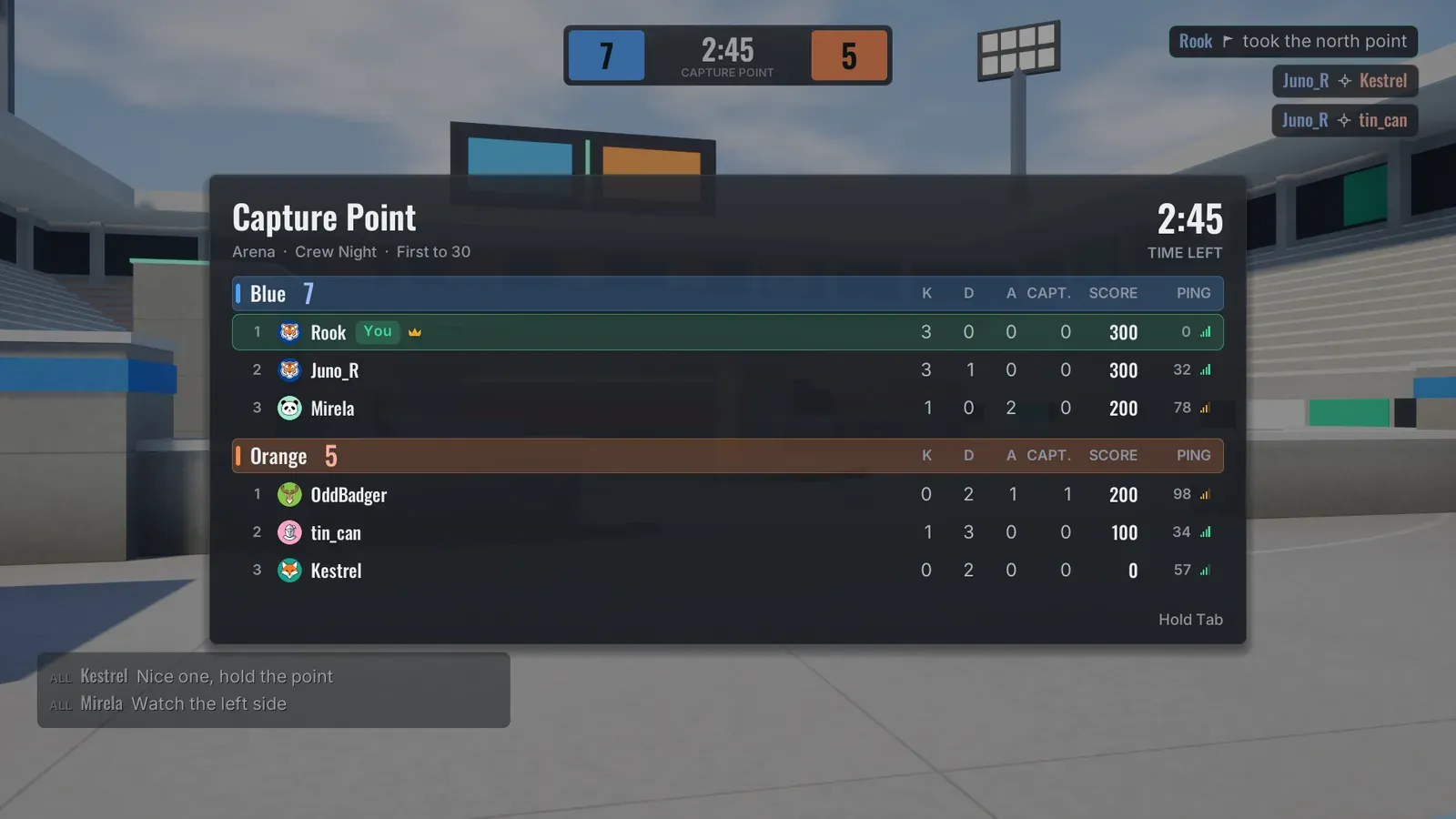
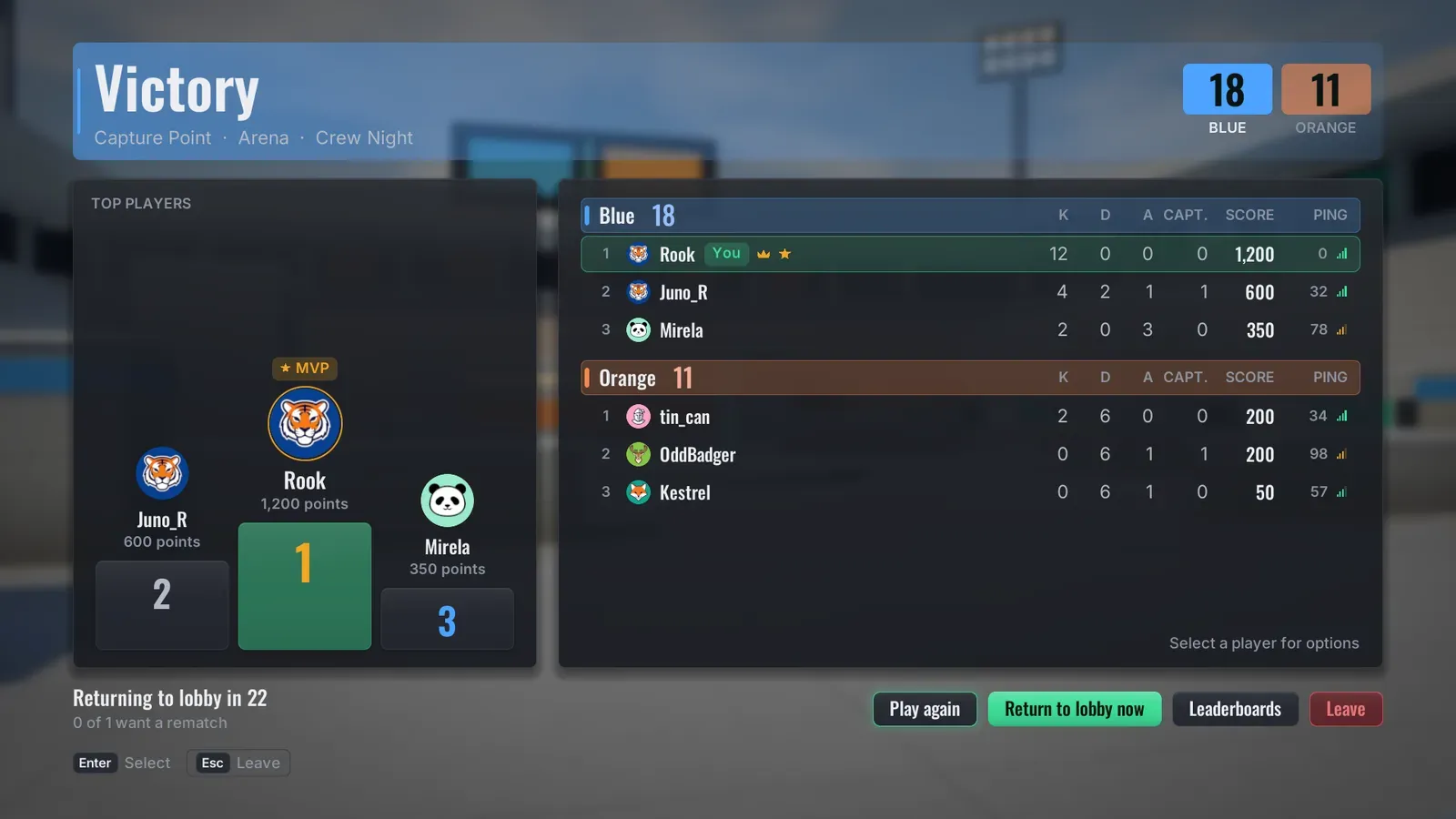
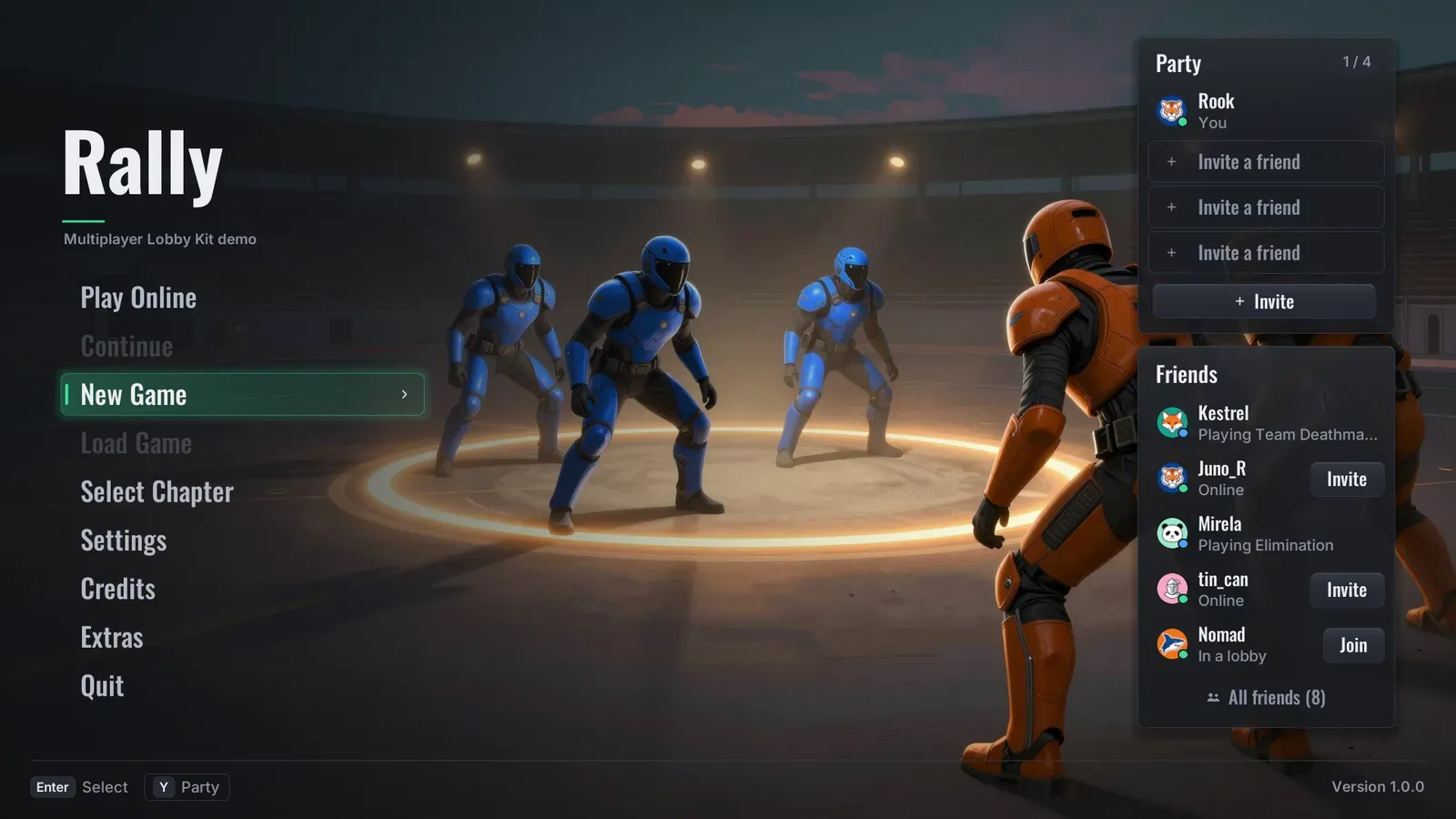
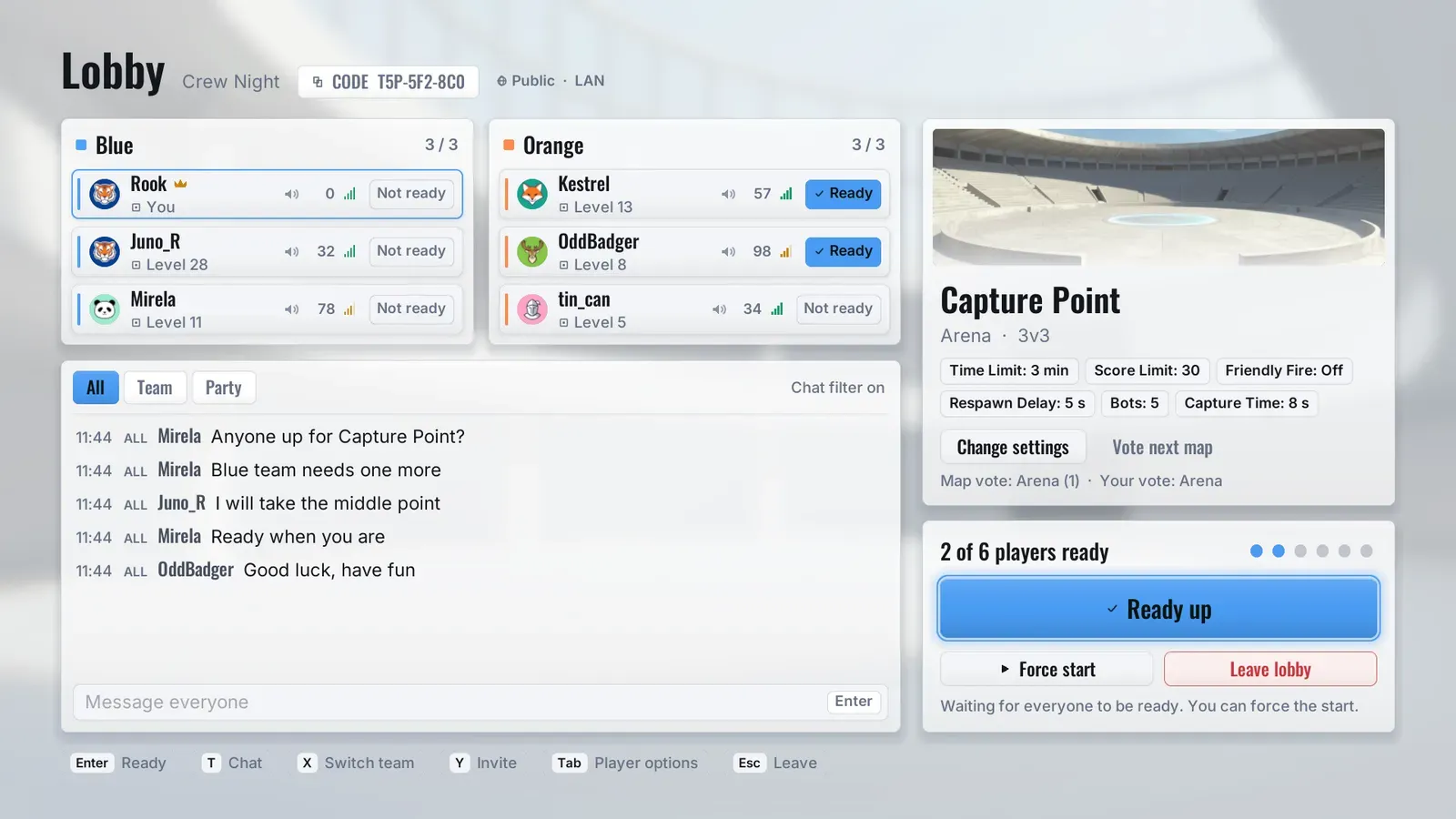
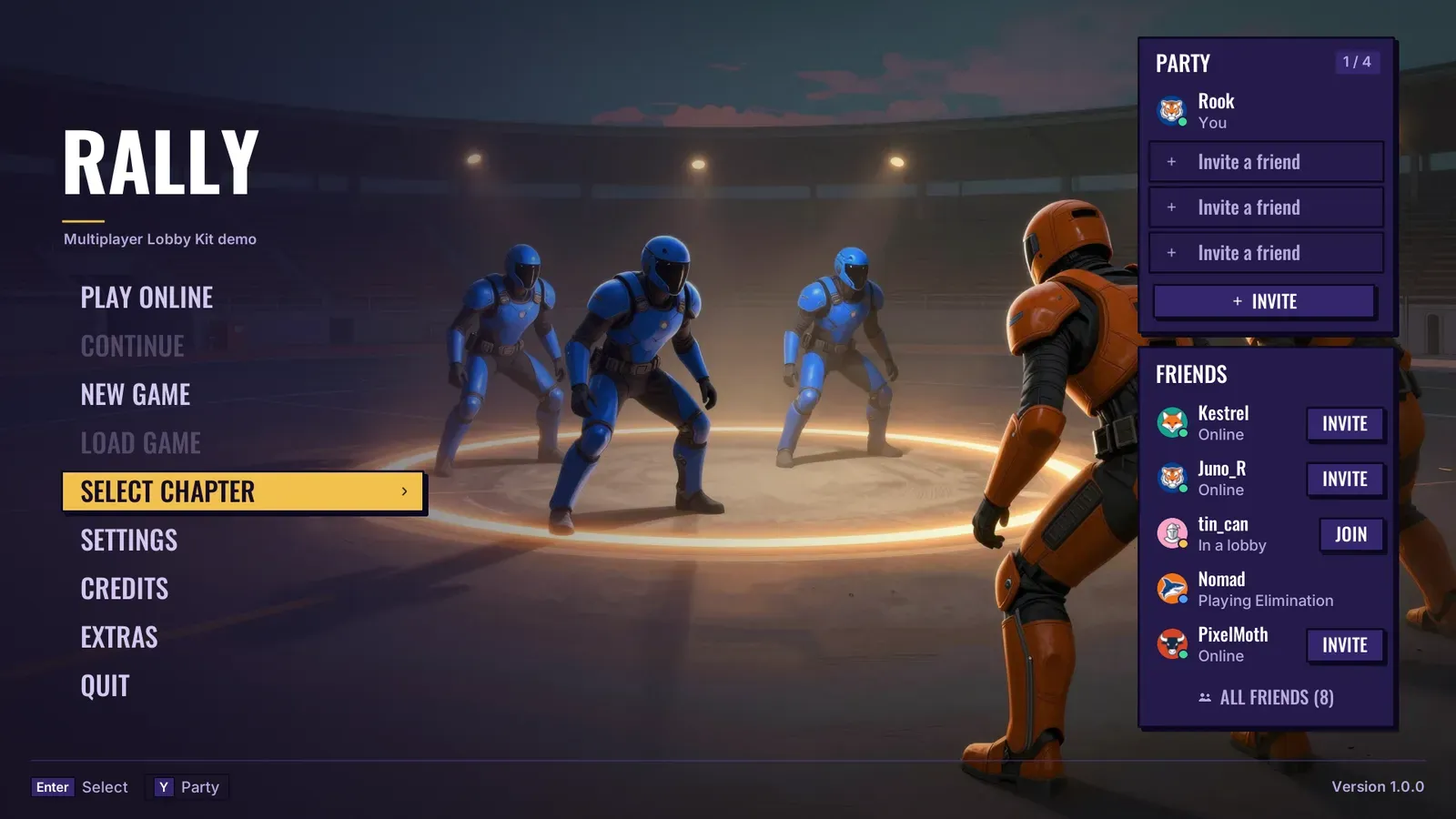
The Rally play hub: a Quick Match tile beside Host Game, Browse Games, Join by Code and a party column, over a row of playlist cards.
- Current version
- 1.0
- Unreal Engine
- 5.4 - 5.8
The demo video
Section titled “The demo video”What you get
Section titled “What you get”The multiplayer screens
- A play hub with Quick Match, Host Game, Browse Games, Join by Code, party and playlist cards.
- Host game: server name, mode, map, player limit, LAN, private, password, match rules and saved rule presets.
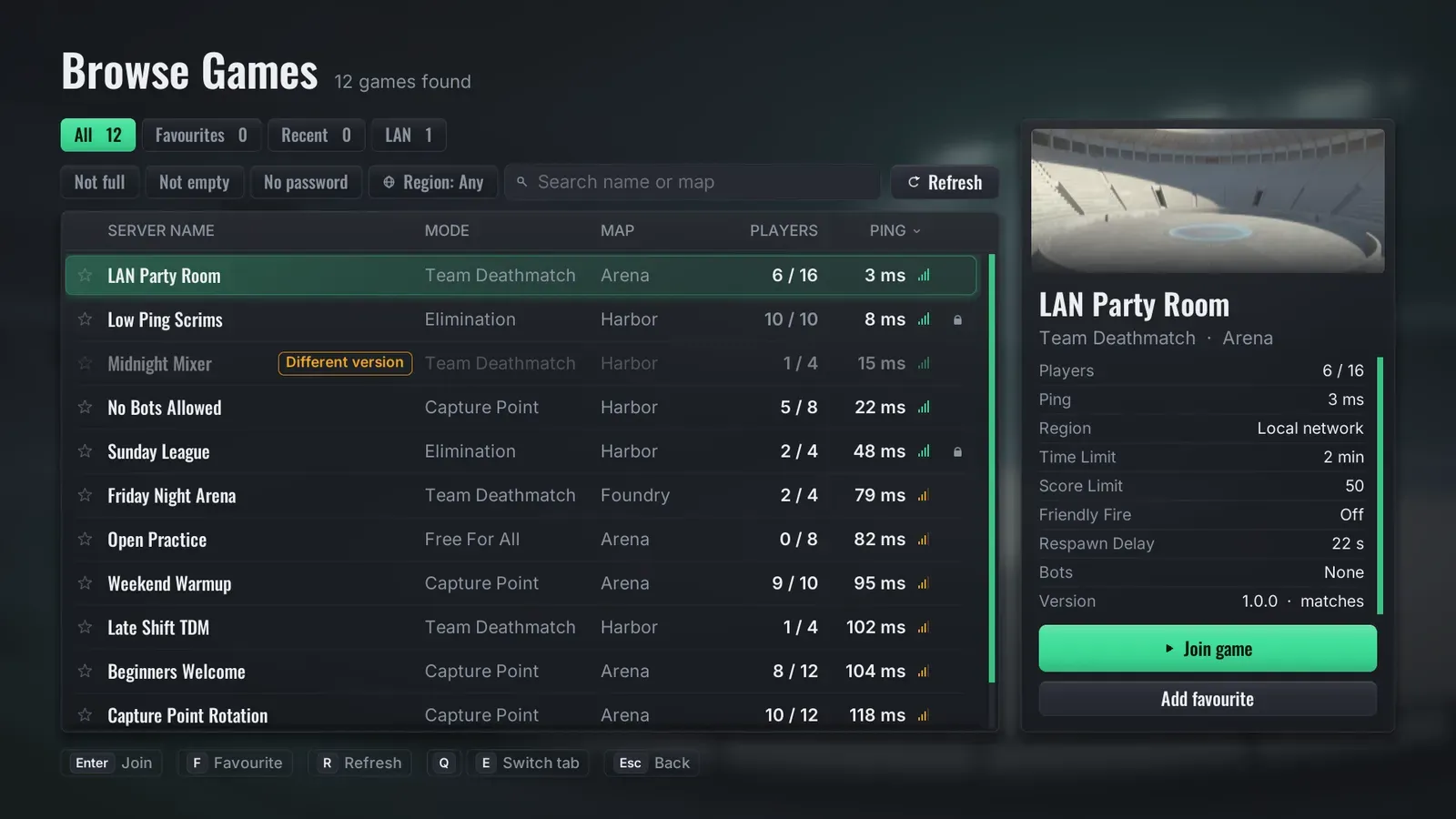
- A server browser with All, Favourites, Recent and LAN tabs, filter chips, sortable columns, ping bars and a details panel.
- Join by code, using a short lobby code with a check digit that refuses typos, or a raw address.
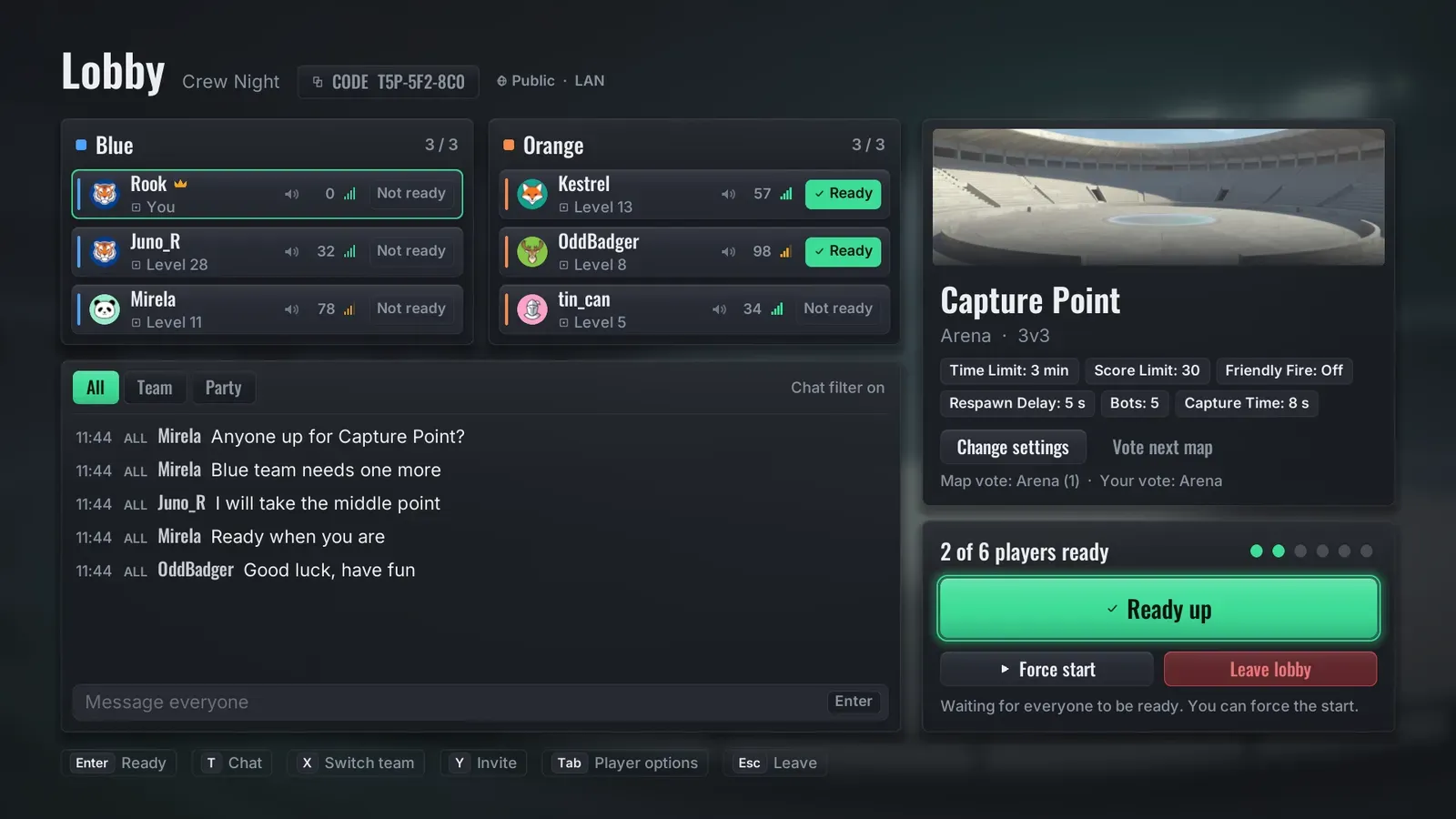
- A lobby with team columns, ready-up and a countdown, chat, map vote and host controls.
- Friends and party panels, a quick match queue, and a match found dialog with an accept step.
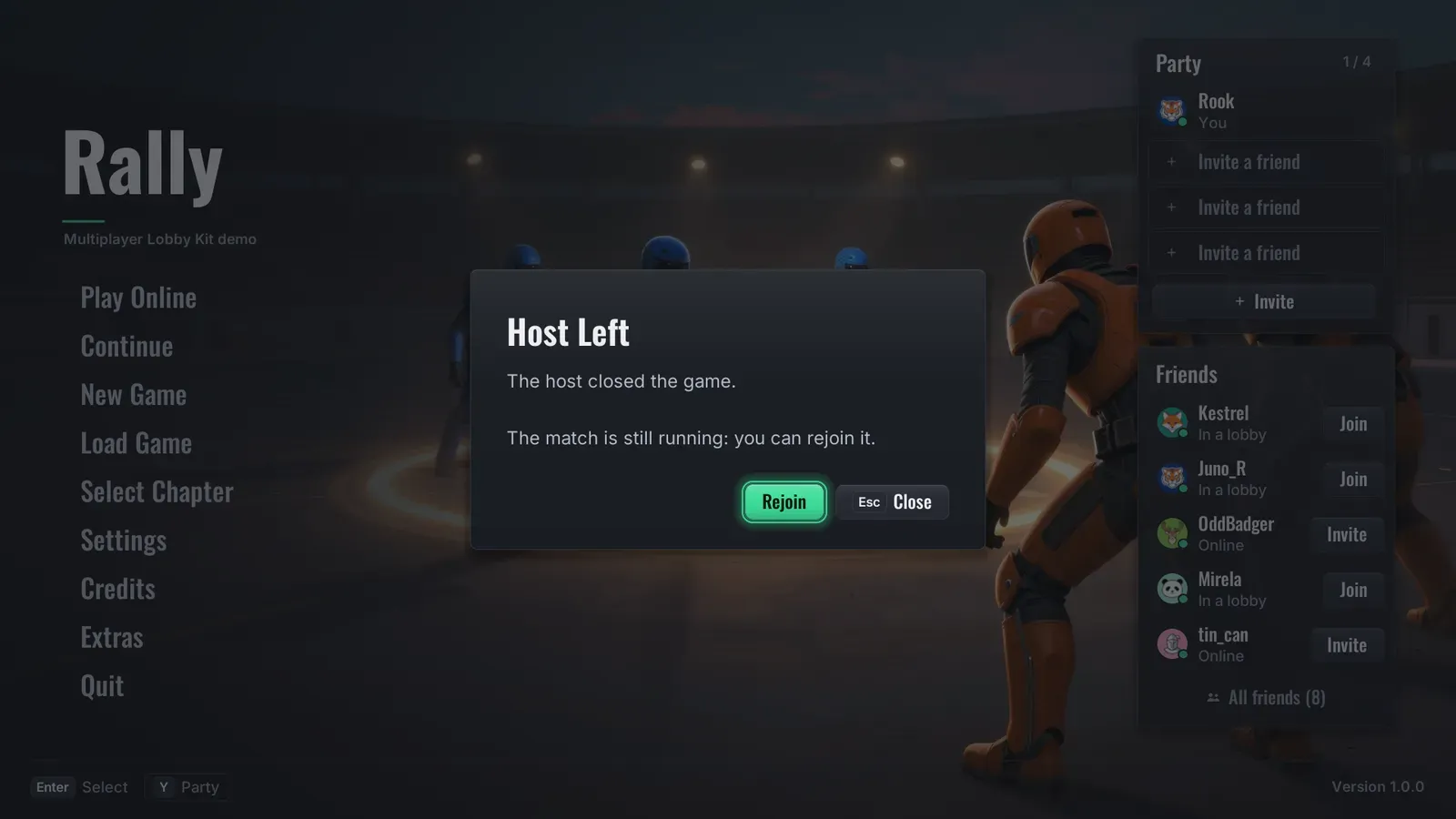
- Connection dialogs and clear errors, including rejoining after a dropped connection.
The match overlay
A score strip and match clock, kill feed, chat line, voice indicators, net stats, a spectator bar, announcements and a scoreboard held on a key. Scoreboard columns are data: kills, deaths, assists, score, ping or your own stat.
Match rules as data
Toggles, option lists, sliders and text, defined in the Online Config. Seven ship with it. A new rule needs no C++ and no new widget: it shows on the host screen, travels to the match and appears in the server browser. The kit enforces Time Limit and Score Limit; the others reach your game code.
An online provider you can replace
The default is the engine’s Online Subsystem sessions, so LAN games need no account and no config line. A platform’s Online Subsystem plugin can be named in one config line, with no platform SDK linked. A sample provider with made-up friends, parties and matches lets you try every screen alone.
A complete menu system too
Main menu with party and friends columns, a settings menu with a Multiplayer page, a pause menu, save and load slots with screenshots, chapter select, credits, a press start screen, a loading screen, key rebinding, a controller layout and HUD essentials.
The look
Three skins (Default dark glass, Light frosted white, Arcade flat and chunky), five accent colours, one Theme asset for colours, fonts, sizes, sounds and the backdrop, and a Reduce Effects setting.